
Scenario
- General ledger > Chart of accounts > Dimensions > Financial Dimensions
- Select the Department financial dimension
- On the Action Pane, click Dimension values
- On the Dimension values page, you will see that the +New button is not available.

Solution
- Go to: Organization administration > Organizations > Operating units
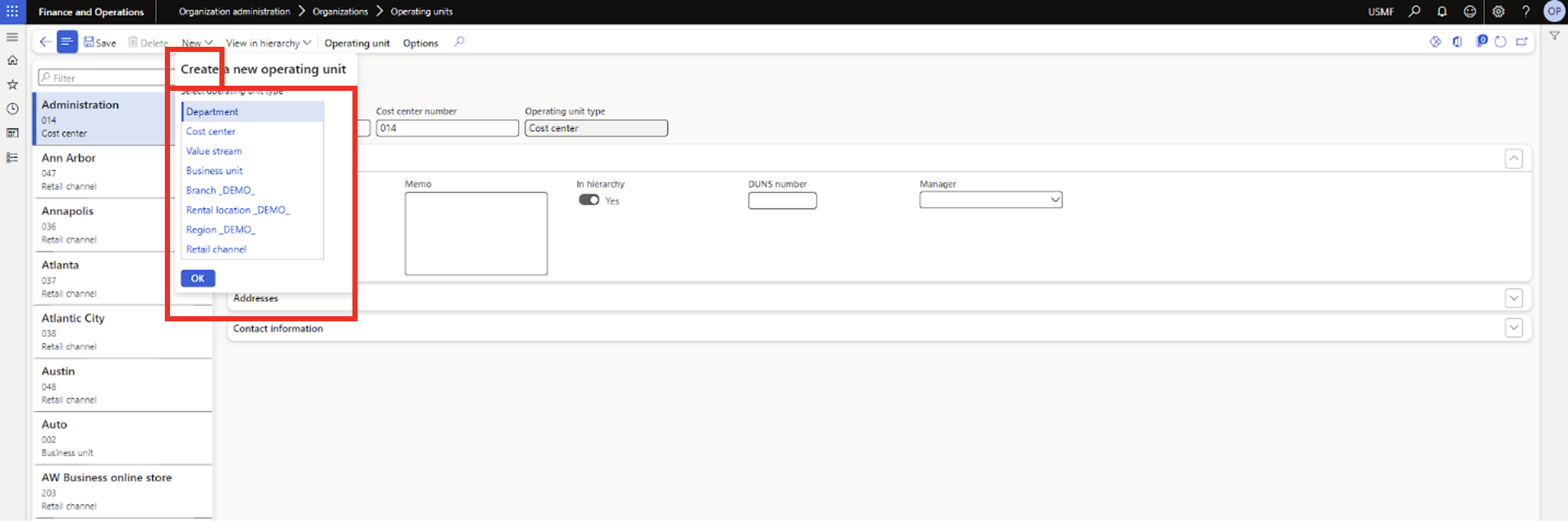
- On the Action Pane, click New > select Department > click OK
- Enter Name and Department number for the new dimension value
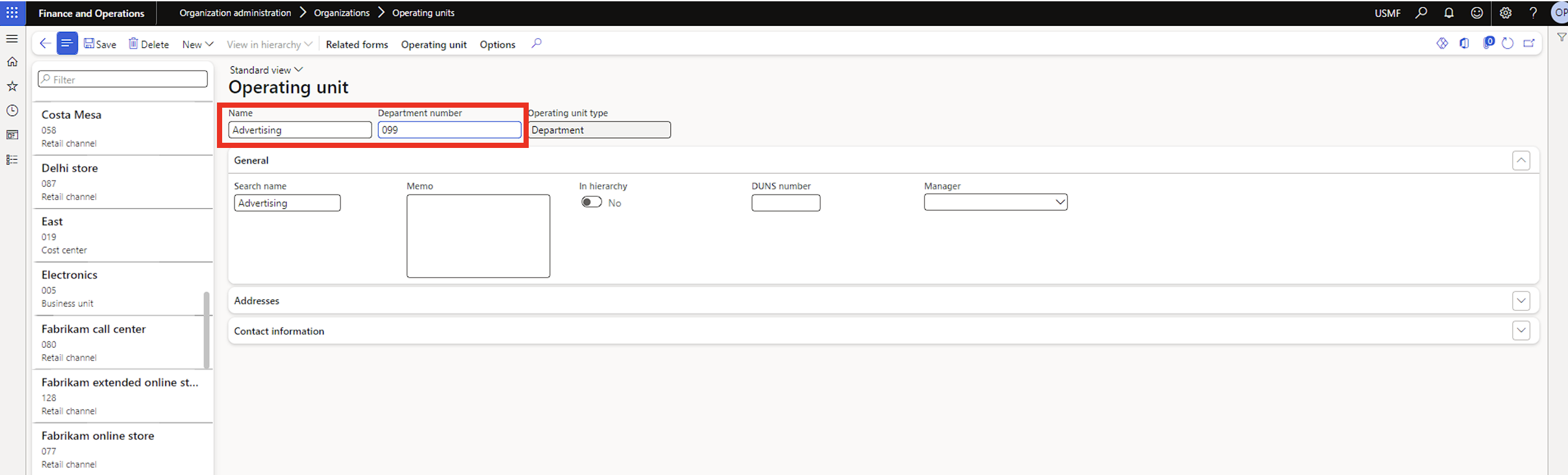
- Click Save on the Action Pane.
- Go back to the Dimension values page, and select the newly added value

- On the Legal entity overrides fast tab, click Add to select the legal entities for which you want the new dimension value to be active

- Once you are done adding the legal entities, click Save.

Note
There are over 30 out-of-the-box financial dimensions in D365. But only few are available on the Operating unit page. This because most dimension values are automatically created somewhere else. Example: new customers are created from the All customers page; once a new customer is created there, it will automatically show up as a dimension value for the Customers financial dimension.