
Have you cheked out yet the new feature Financial Tags?
If not yet let us bring this to your focus.
Financial tags were intruduced in version 10.0.32, so you can make use of this of feature if you are on this or later version.
The use of financial tags is beneficial if you want to define your specific filed values for transactions for internal reporting purposes. Sounds as they are similar to financial dimensions but actually there differencies between these functionalites. Because of these differences each organization needs to evalute which functionaity would suits its needs.
If you are thinkig how you could use financial tags continue reading to find out.
Let’s go step by step what you need in order to make most of this feature.
First thig first, you need to enable the feature in Feature managemet :

Next, set up the delimiter in General ledger parameters:

Now you are ready to create financial tags. Please note before you create your financial tags that are legal-entity specific and make analysis and evalute which financial tags are needed for your organization, as after creation you cannot delete financial tags, altgough you can deactivate.
You can create up to 20 financial tags.
Three types of finacial tags values are available: Text,List and Custom list.

We will create financial tags for FA journal description which are user defined values and we choose Custom list for this:
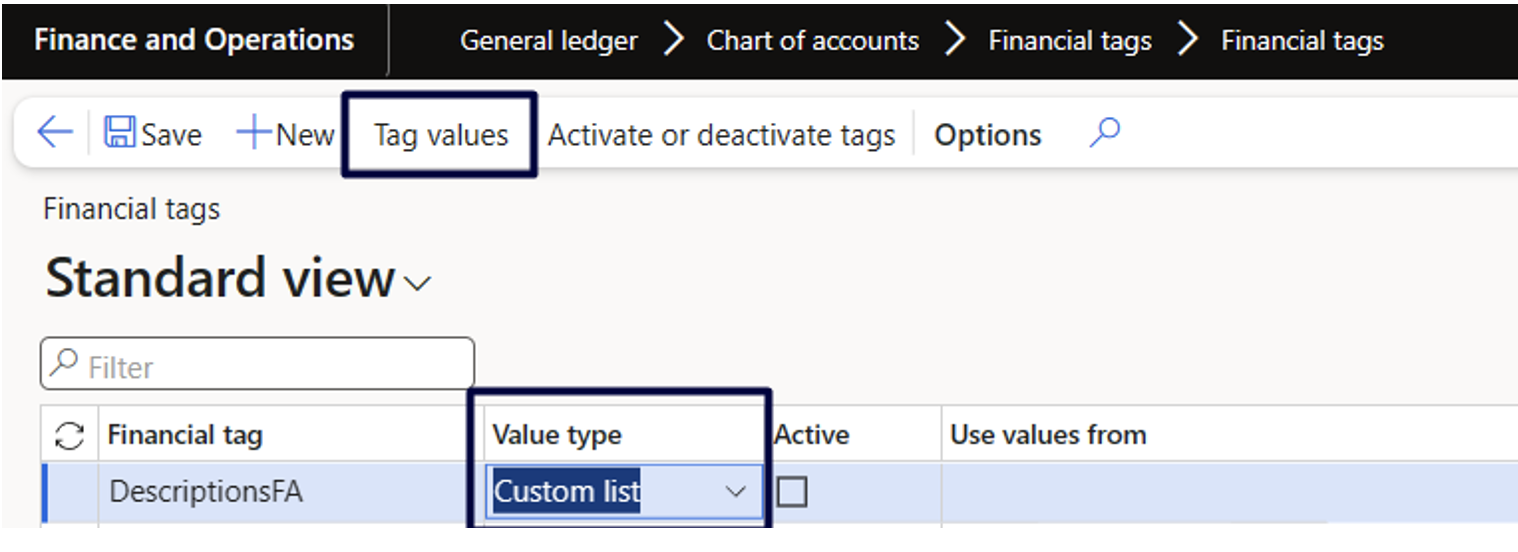
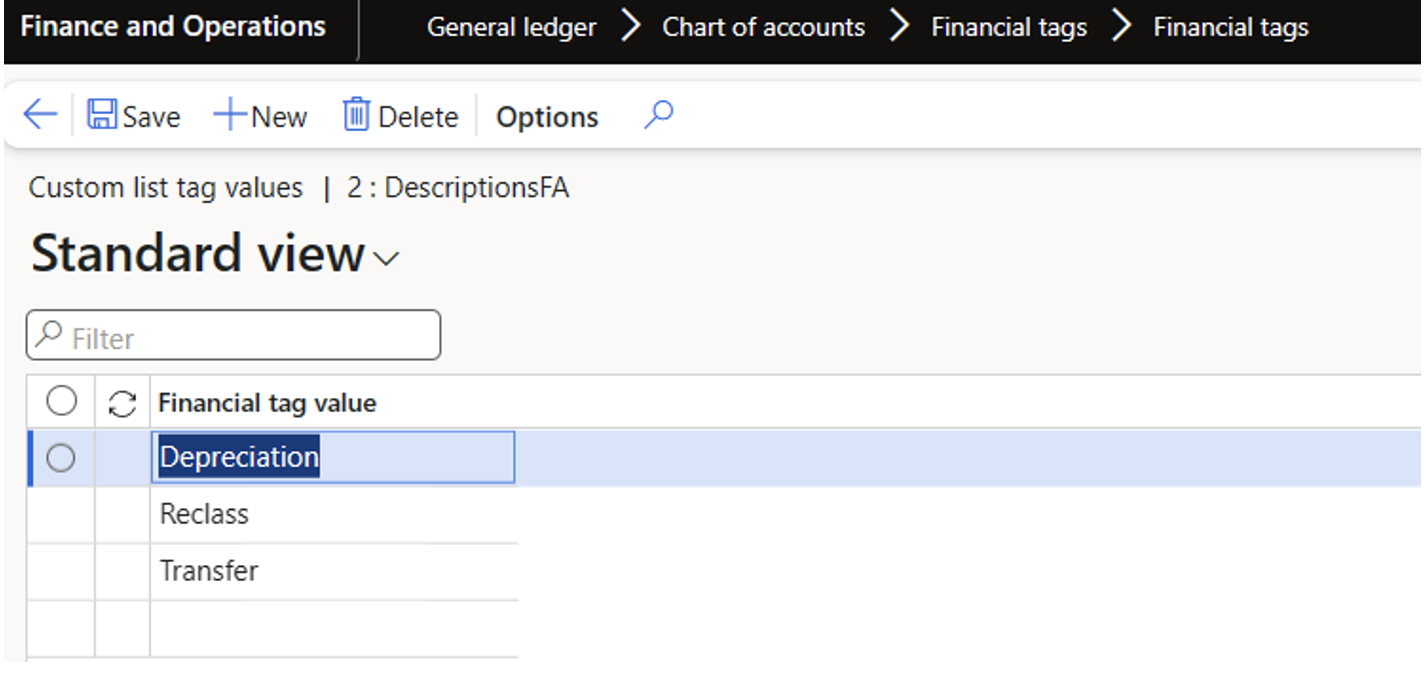
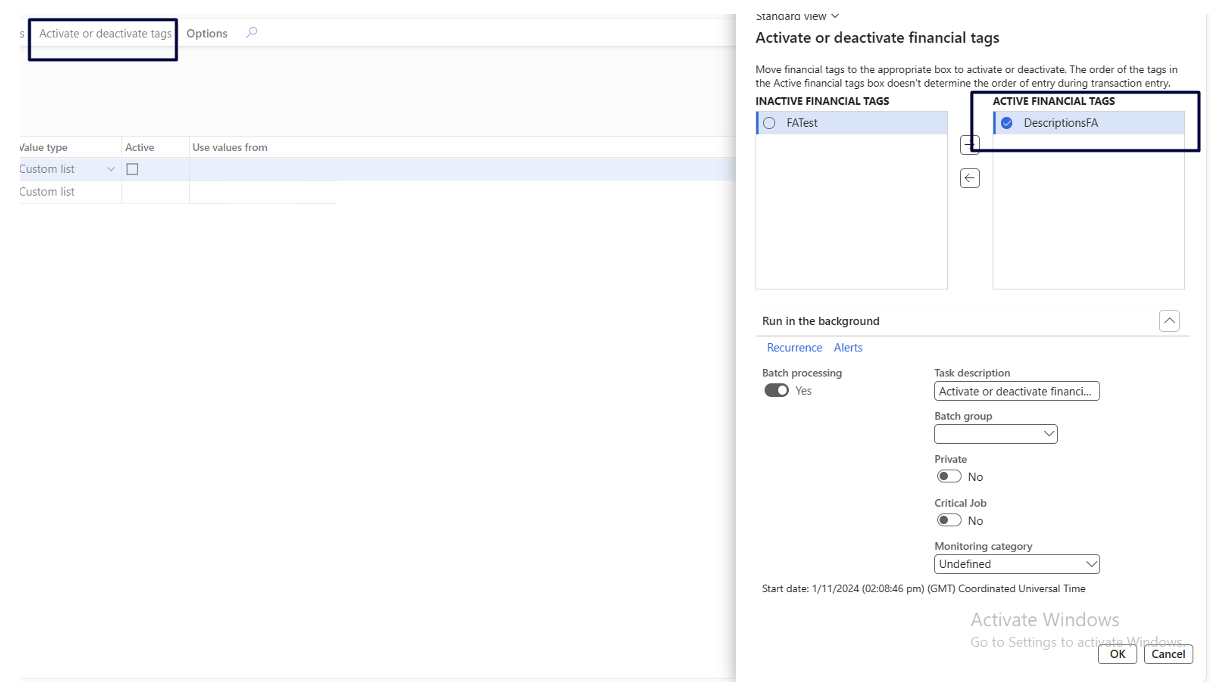
Then let’s activate created financial tag before we can use it in journal:
Finally, after all set up is done we can create journal and use our financial tag. You can choose the financial tag on journal header and use as default for your journal lines, which is what we are doing in our example here.
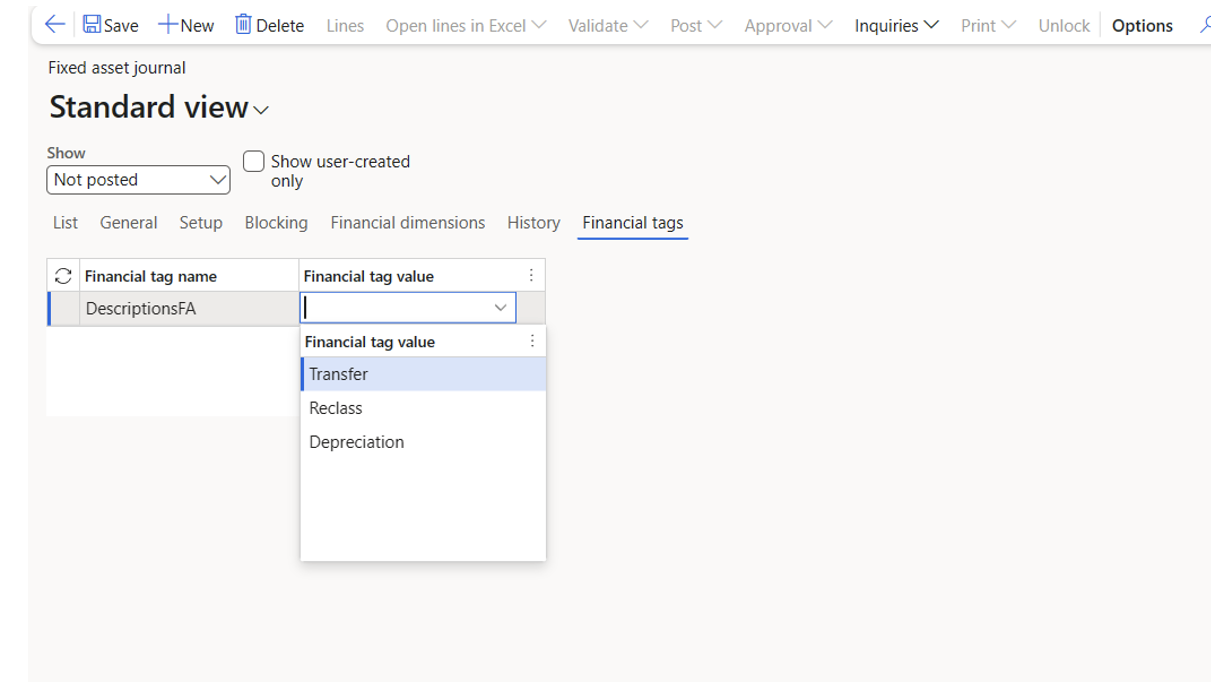

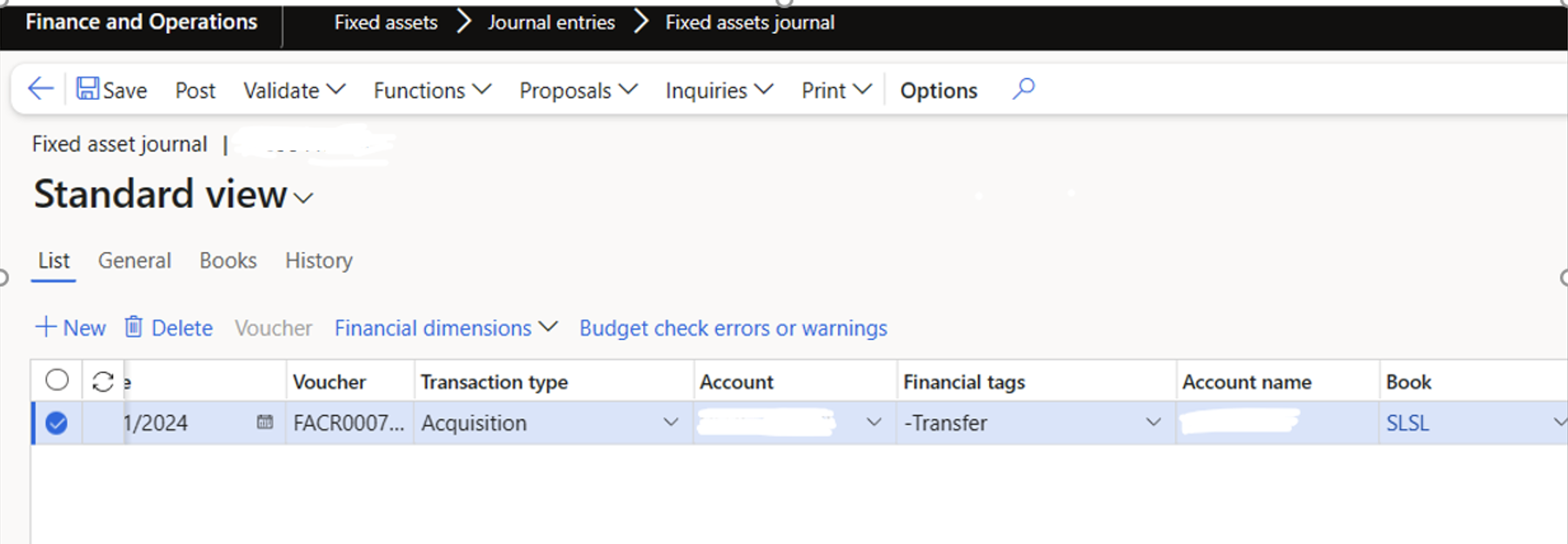
One thing to be aware for the financial tags values is that there is no validation, you can define your values in the list but if you accidently type additional character or enter value that is not included in the list, either way it will be accepted as there is no validation.
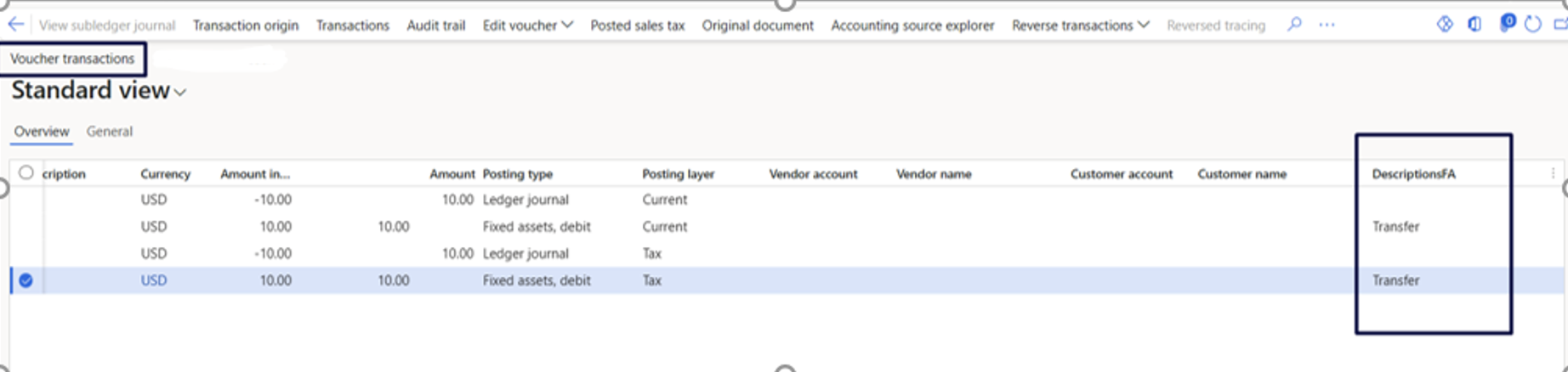
After we post the journal, on the voucher transaction form we can see the values defined previously with the financial tags and we have them in separate columns based on which we can sort and filter.
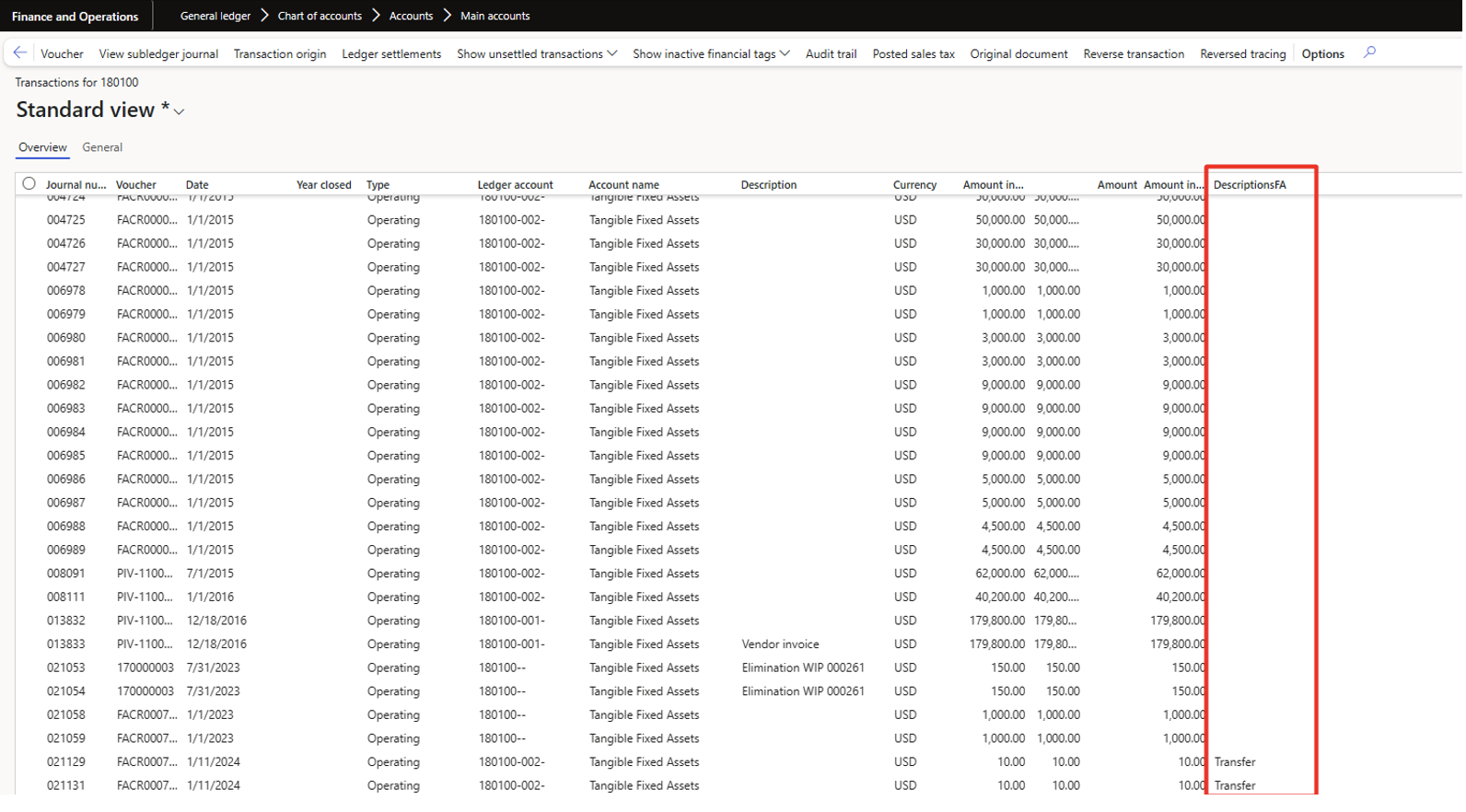
We can make use of financial tag for internal tracking and analysis, on the transactions for main account page.
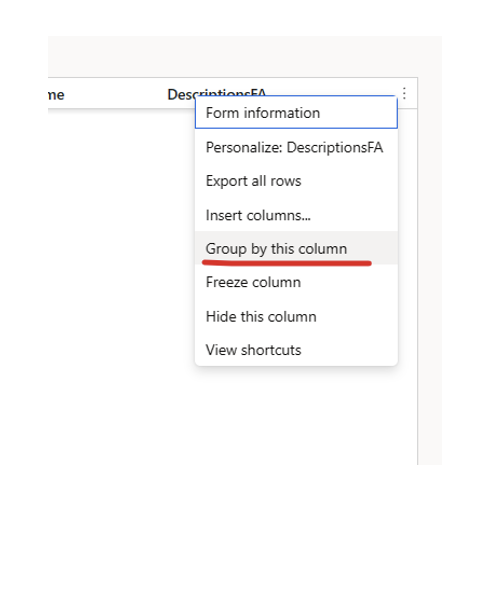
Here you can group the desired column and summarize to see how much you have posted on each value of your financial tags.

You can also export to excel and make further analysis.
In conclusion financial tags can be very valuable when defining values based on which you need to make internal analysis or other internal need for your organization.
Let us know if you need help with your requirements for financial tags.