As a part of the budgeting module, the first step to design the budgeting process is to build a plan on how it will be structured. The configuration can be changed once setup, but it’s better to have a plan and build the plan first.
Design it out to determine what will be budgeted and how it will be budgeted.
Before we proceed to Advanced Budgeting setup, there is a few steps to be done in Basic Budgeting Setups:
*Budgeting Parameters
(Budgeting -> Setup -> Budget planning -> Budgeting parameters)

A budget journal needs to be set up, while other fast tabs are optional. If you want to do monthly or period balances, Time period for budget balances tab, should be “Fiscal Period”.
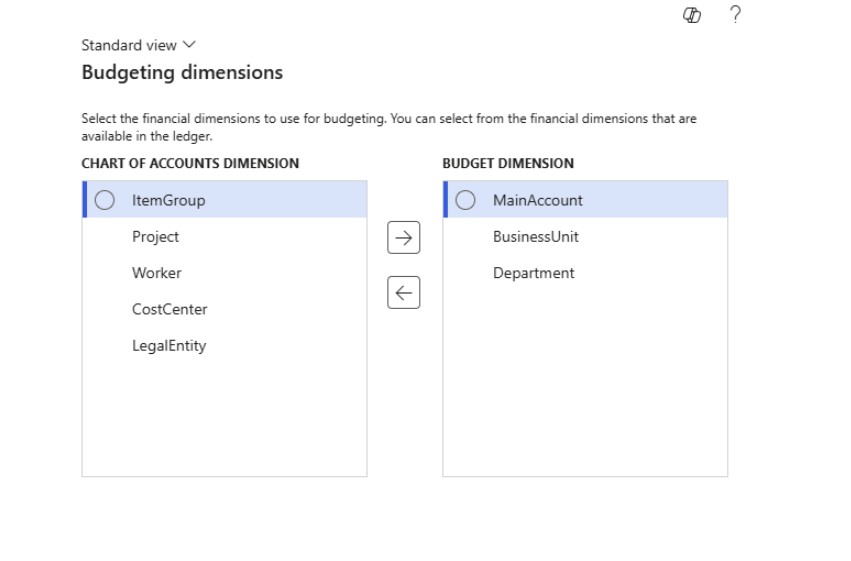
* Dimensions for Budgeting
(Budgeting -> Setup -> Budget planning -> Dimensions for budgeting)
Select desired Financial Dimension for using in Budgeting. Can select from the Financial Dimensions that are available in the ledger.
*Budget codes
(Budgeting -> Setup -> Basic budgeting -> Budget codes)
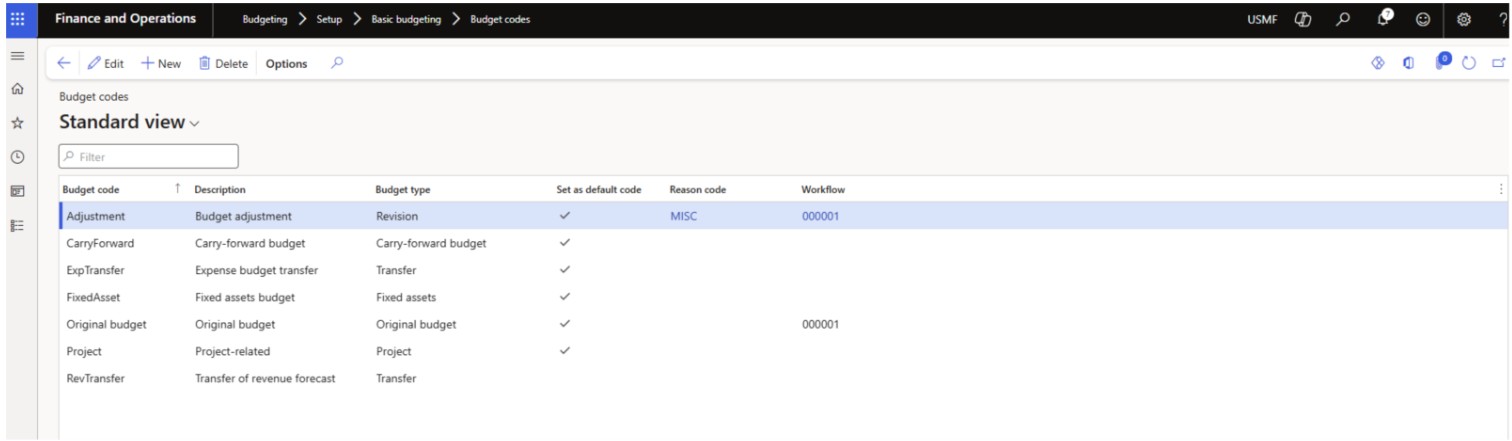
Budget codes are used to classify and control budget register entries- so their purpose and impact are consistently tracked, validated and reported.
*Budget Models
(Budgeting -> Setup -> Basic budgeting -> Budget models)
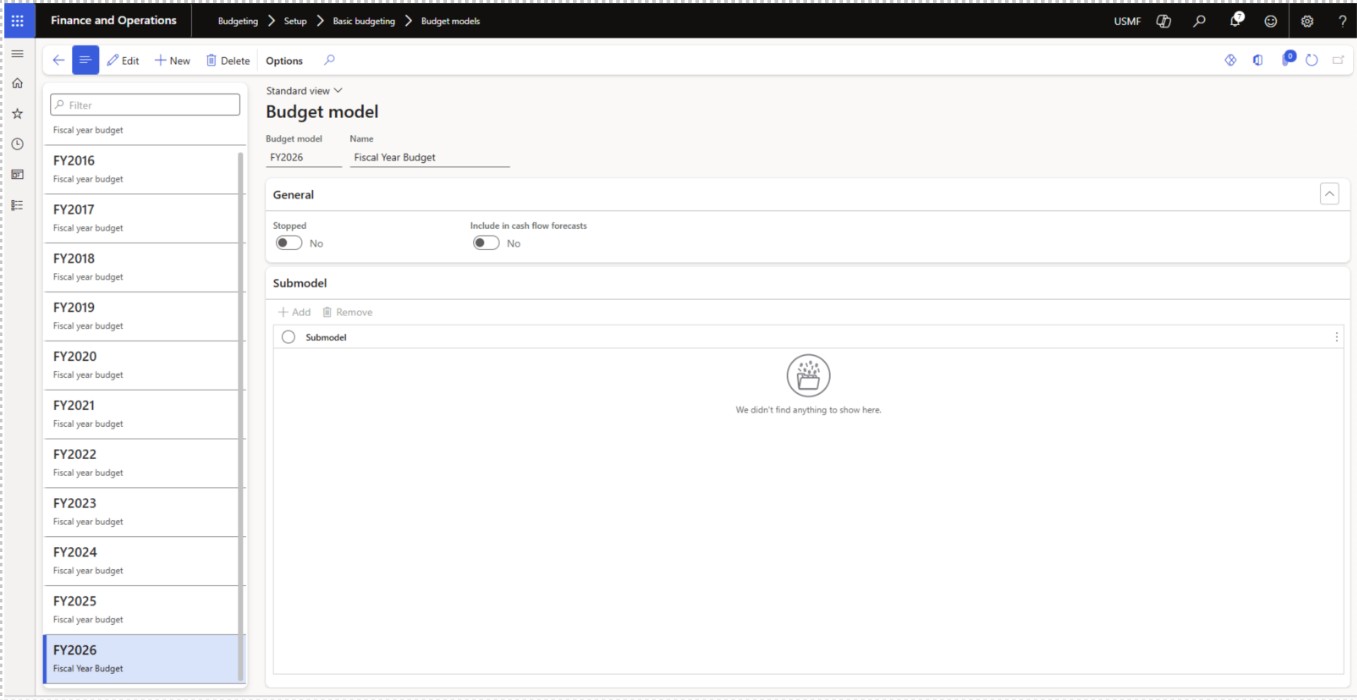
Budget Models are version containers that separate budget data by scenario, so you can plan, track, report and choose which model feeds budget control for a given cycle.
ADVANCED BUDGETING PARAMETERS
Here we need to configure a few steps in advance before we can start with Budgeting.
*Budgeting parameters – configured previous in Basic budgeting parameters
*Budgeting workflows
(Budgeting -> Setup -> Basic budgeting -> Budgeting workflows)
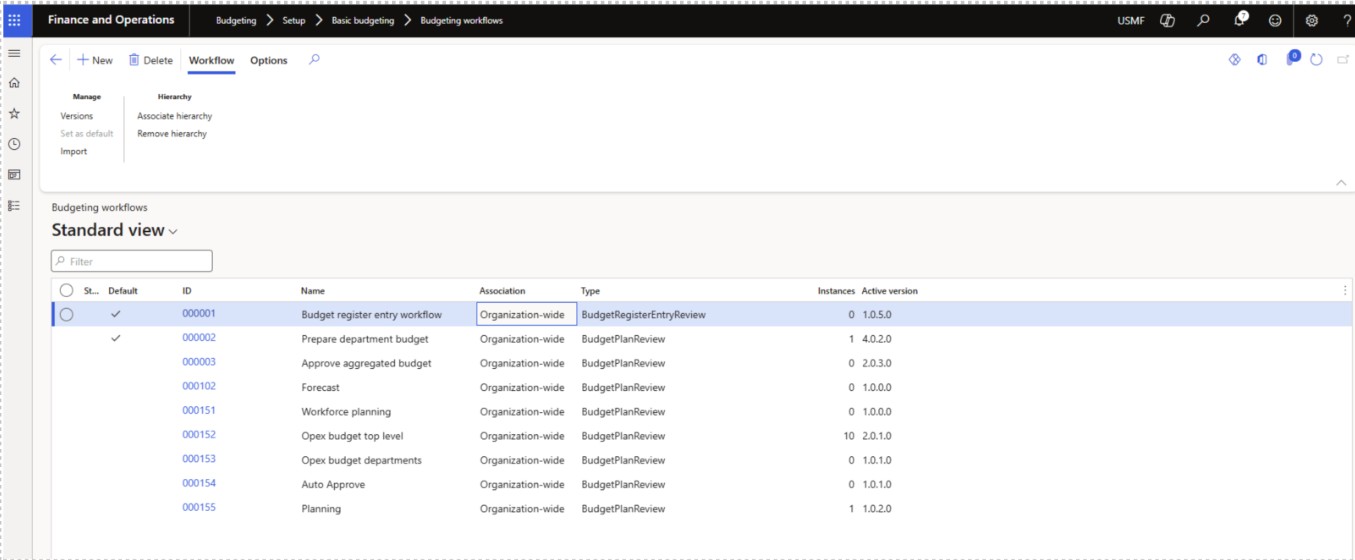
Budgeting workflows define and enforce the approval path for budget plans and budget register entries- routing them to the right reviewers with rules, conditions, and audit trails, so only approved budgets/changes post and impact budget control.
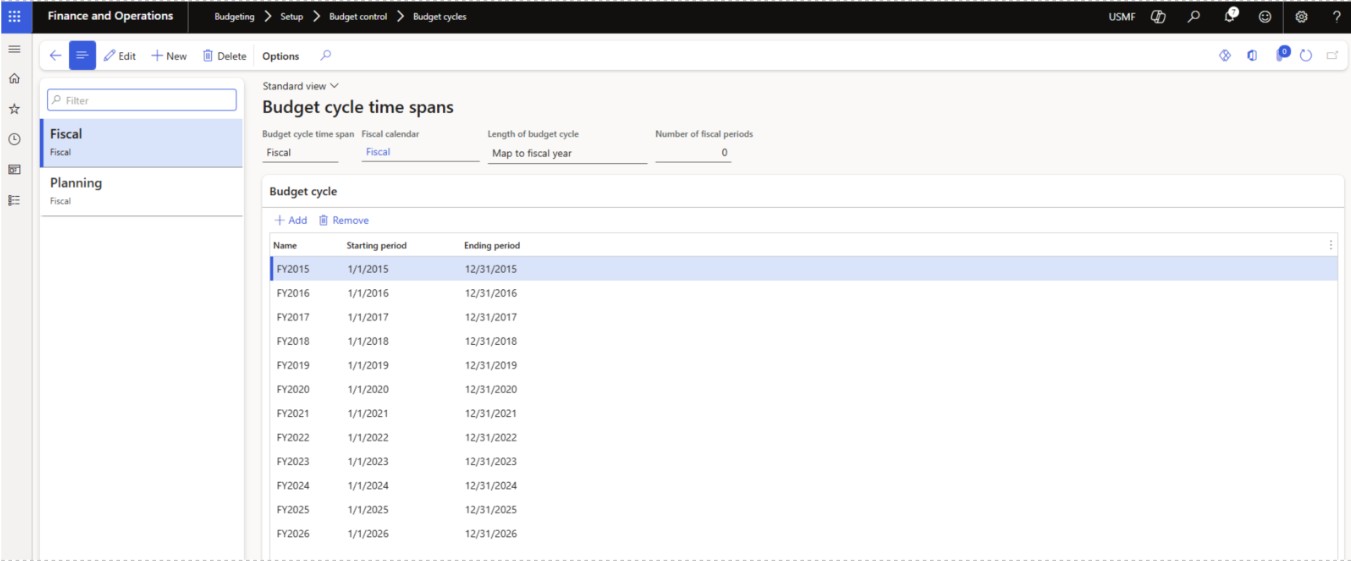
*Budget cycles
(Budgeting -> Setup -> Budget planning -> Budgeting cycles)
define the budget period as it links to the financial calendar. Most common used cycle is Fiscal Year.
*Budget Planning Configuration
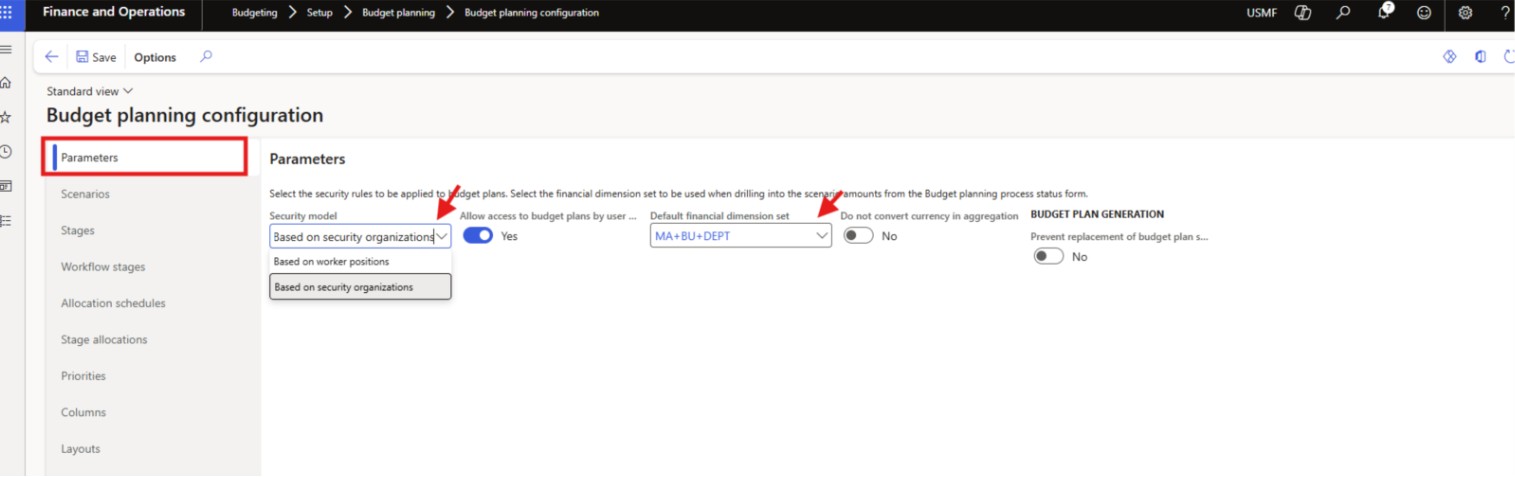
(Budgeting -> Setup -> Budget planning -> Budget planning configuration)
– few tabs that should be configured:
1. Parameters fast tab- Choose security model, default financial dimension set, security settings.
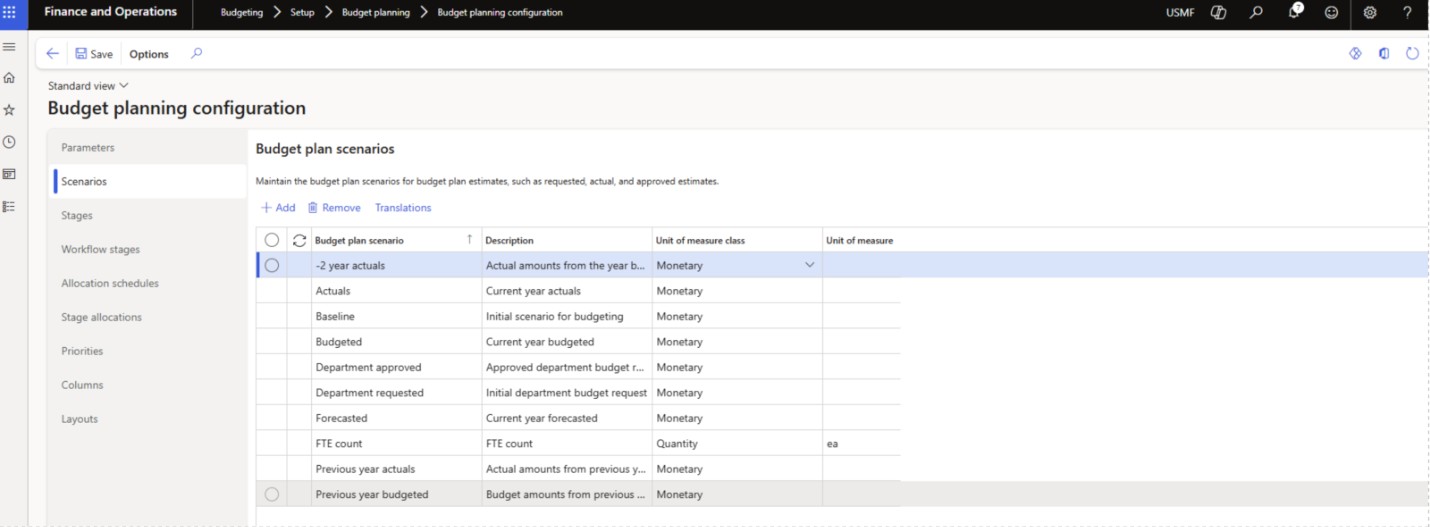
2. Scenarios fast tab- let you define budget plan scenarios with a name, description and unit of measure, so monetary or quantity figures are consistently categorized and reused across stages, layouts, allocations and reporting.
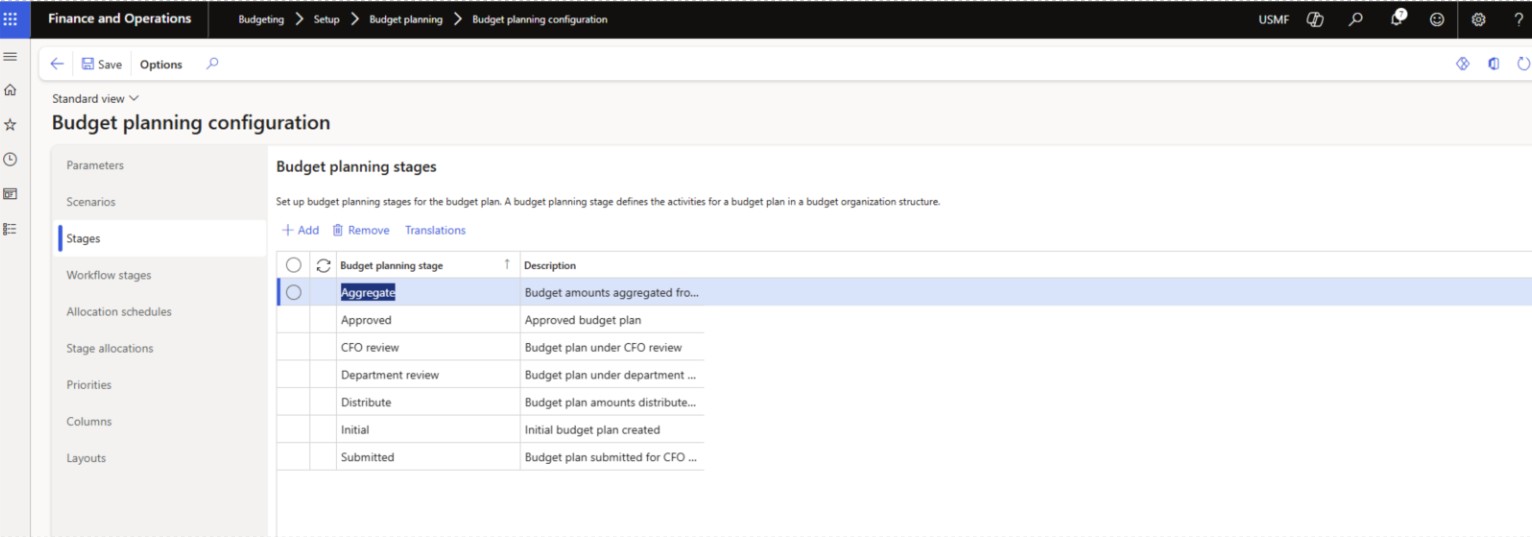
3. Stages fast tab– A budget planning stage defines the activities for a budget plan in a budget organization structure.
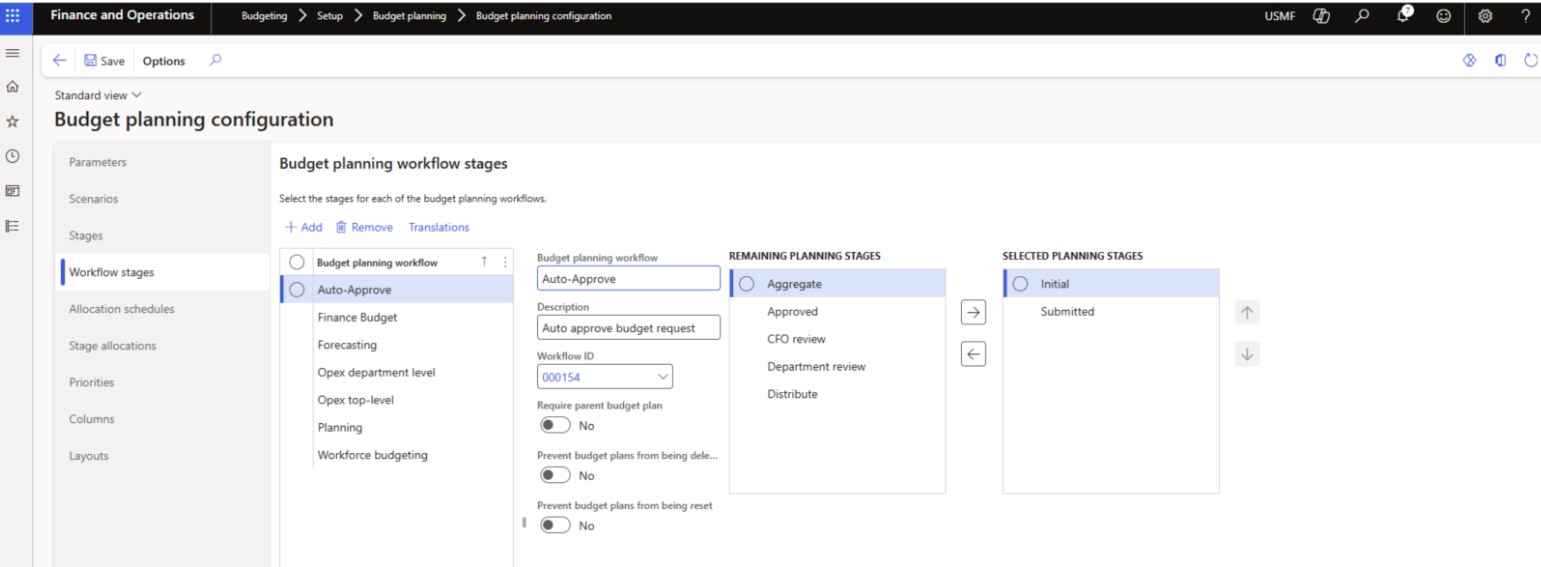
4. Workflow stages fast tab – link defined stages to the appropriate budget workflows using the out of the box workflows or custom ones and choose the approval depth. You can control whether a budget plan’s workflow can be deleted or reset.
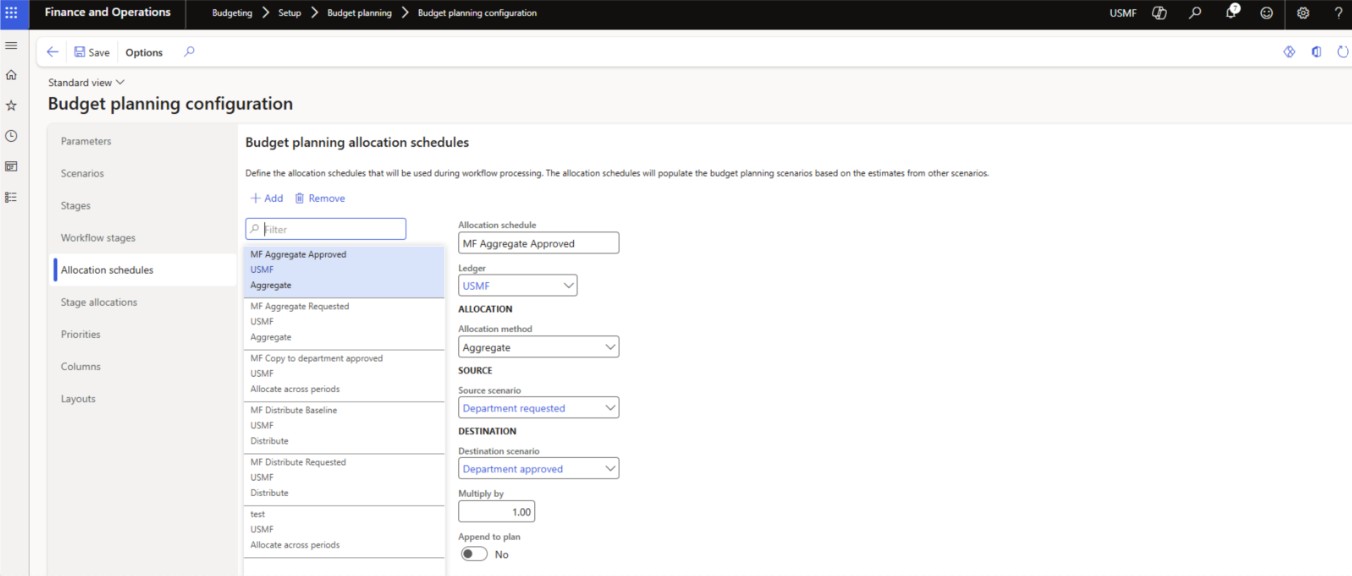
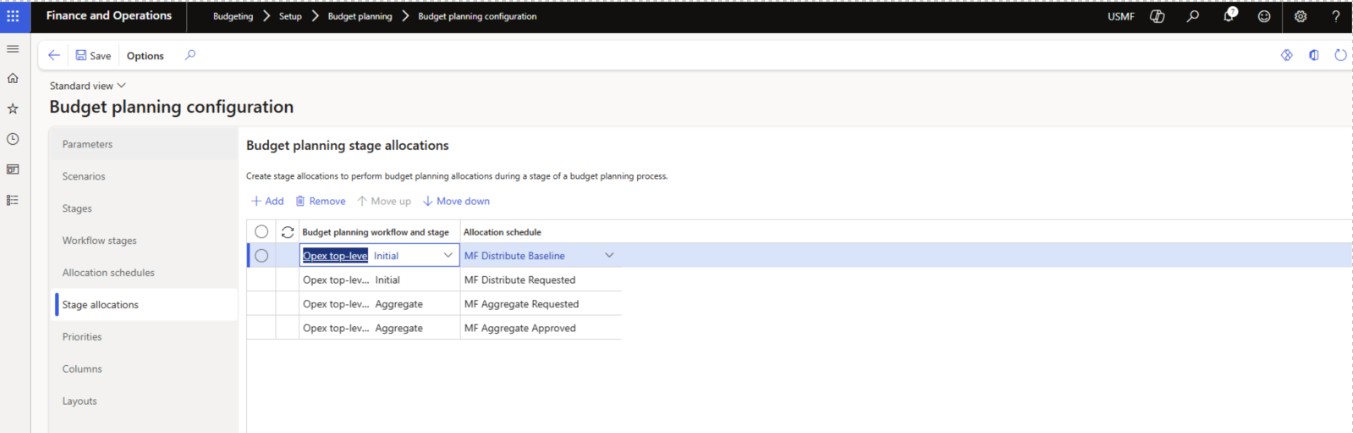
5. Allocation schedules/ Stage allocations fast tabs- On these fast tabs, you define the schedules by aligning them with scenarios and then assign them to steps in the workflow stages.
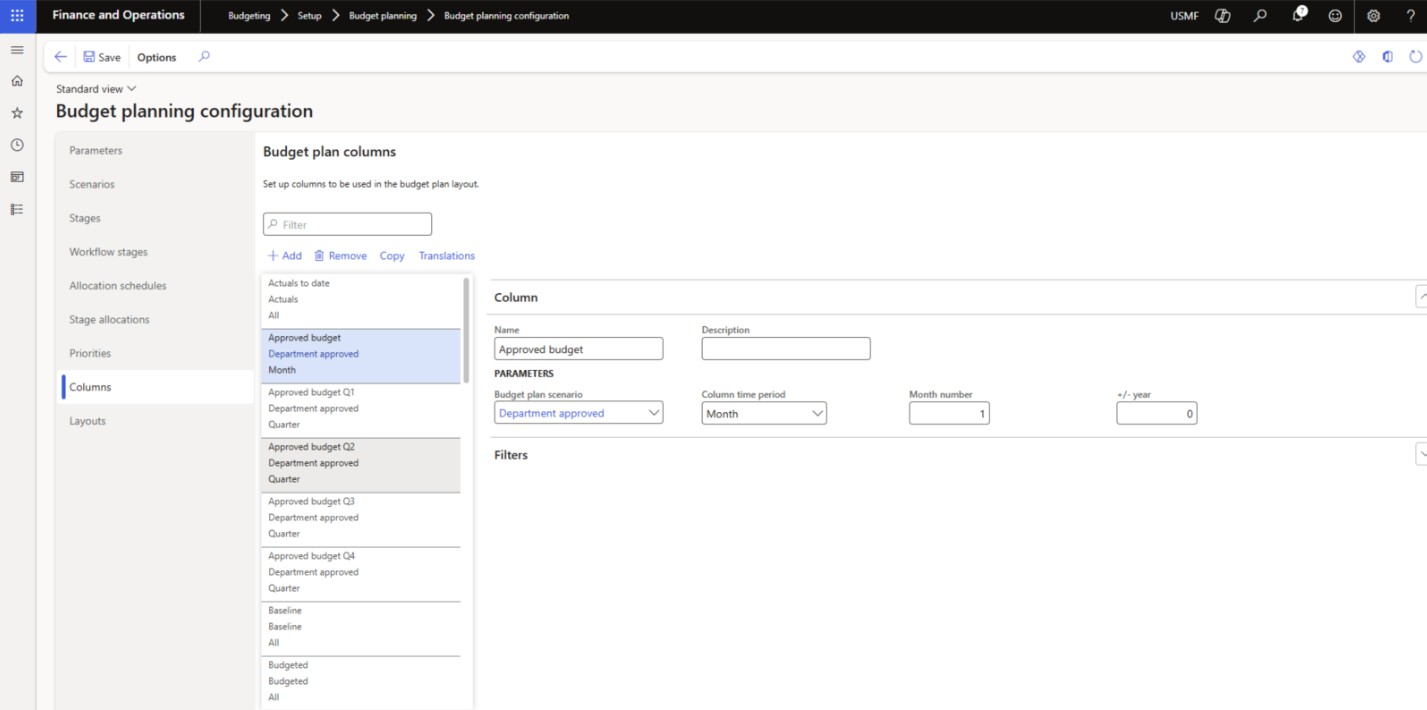
6.Columns fast tab- defining all the columns you want to display on the budget plan list page.
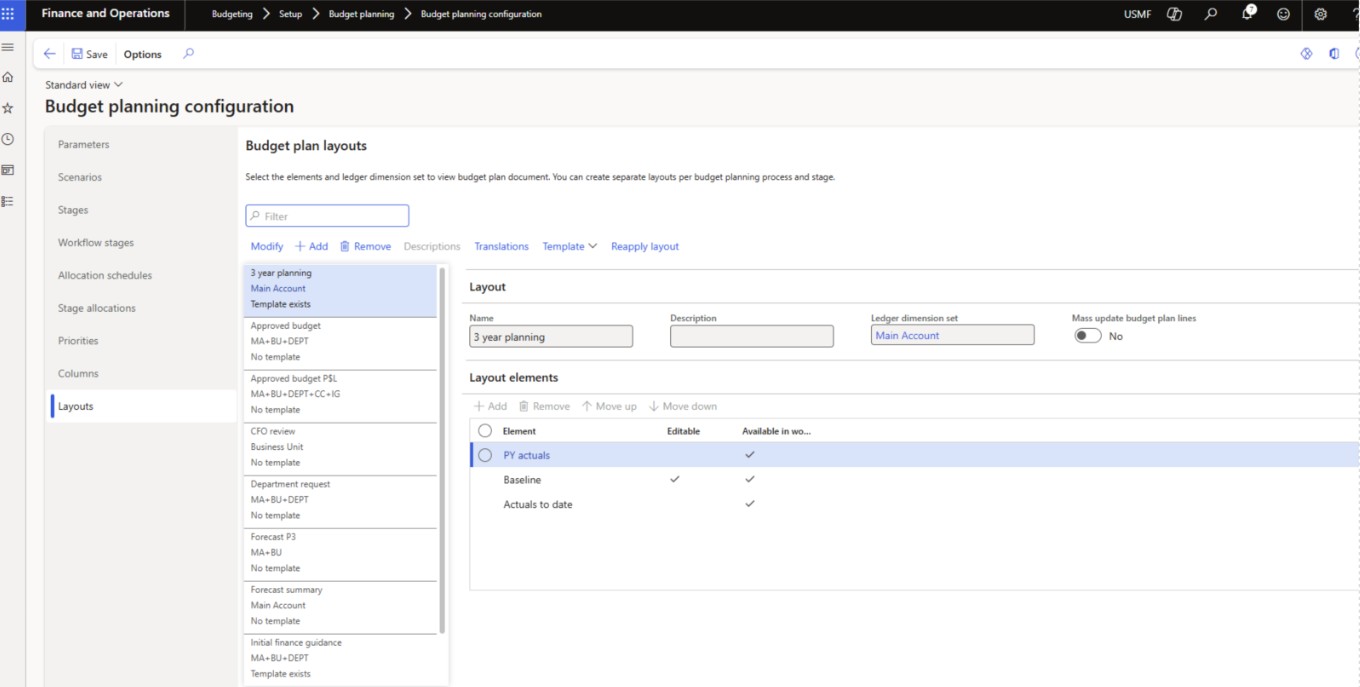
7. Layouts fast tab- build the layout with your columns. You have the option to make the columns editable and whether they should be available in the worksheet.
Budget Planning Process
(Budgeting -> Setup -> Budgeting planning -> Budget planning process)
This process setup defines how the budget will look and work. Needs to be created for each budget year or budget cycle. These are the options to assign:
1. Give name and description
2. Assign a budget cycle for the year in which you want to define the budget.
3. Select the ledger (LE) for which the budget will be for.
4. Assign the account structure for which you will be budgeting.

5. In the budget planning process administration fast tab, select the organization hierarchy
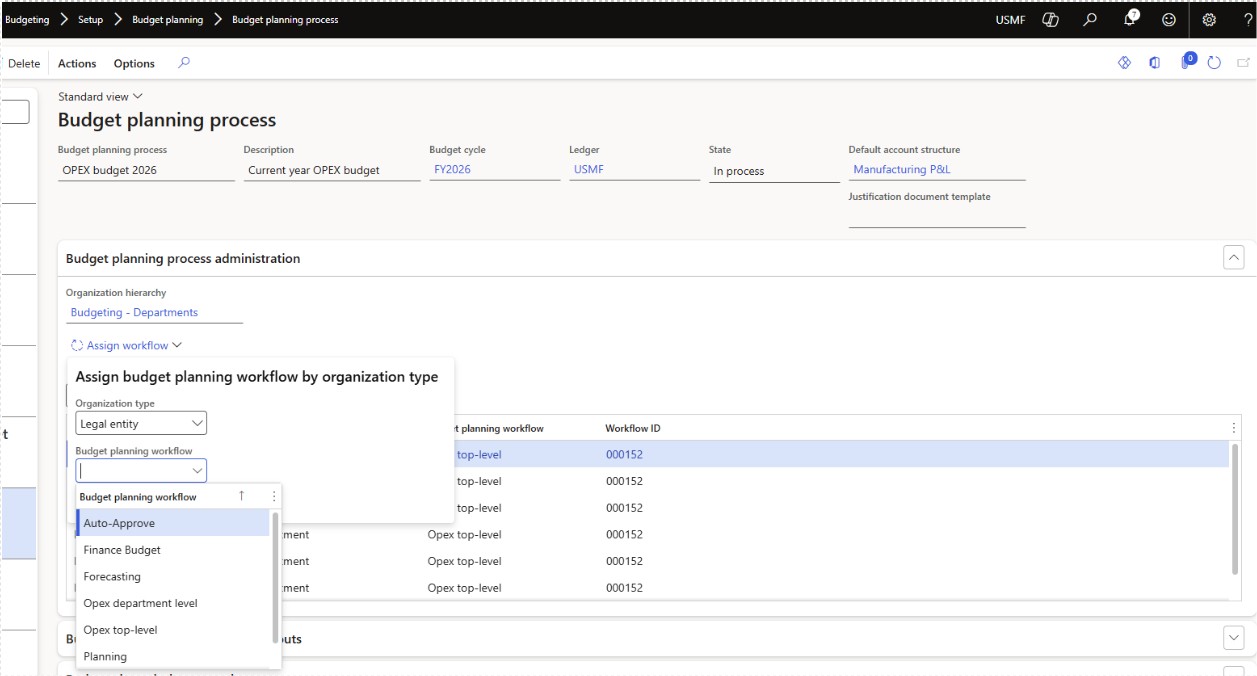
6. Assign the workflow.
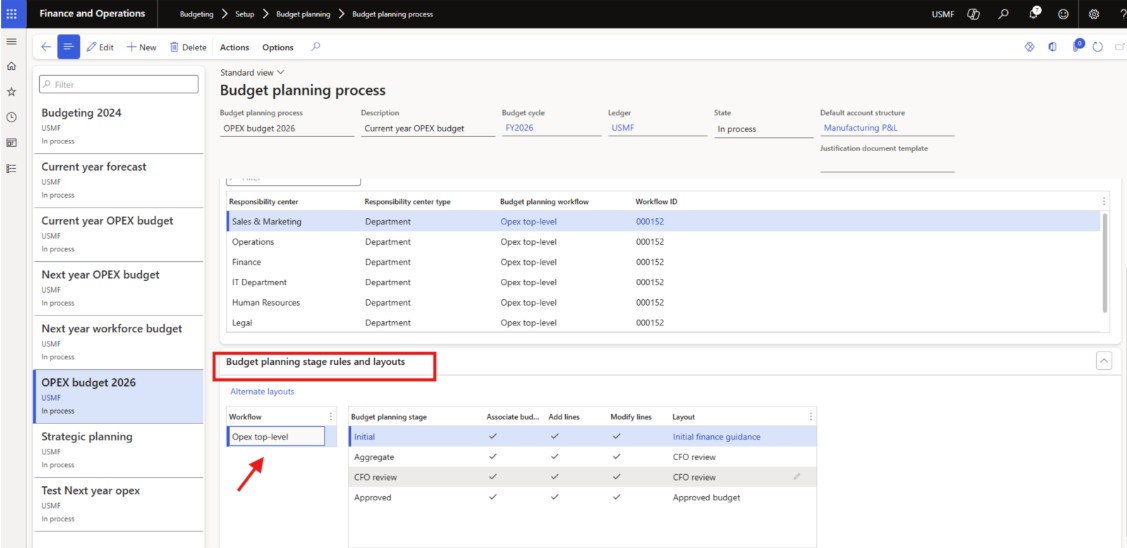
7.Proceed to the Budget planning stage rules and layouts
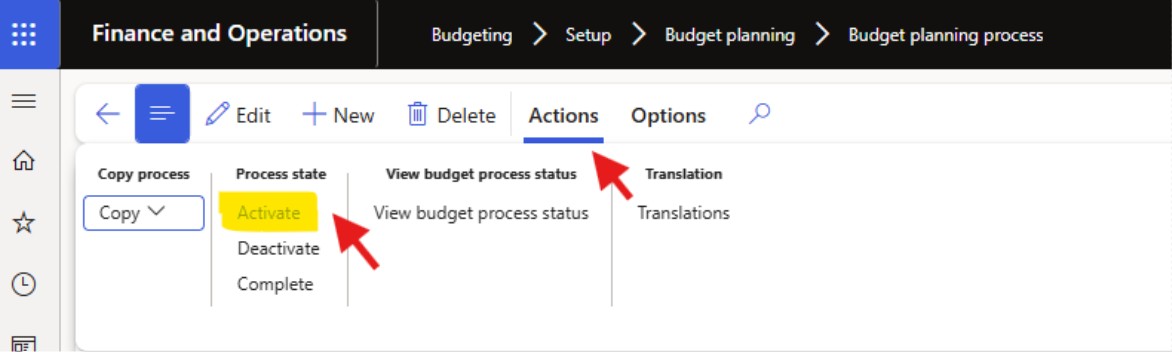
8. Last step is to activate the Budget planning process. Click on Actions -> Process state -> Activate to make it active