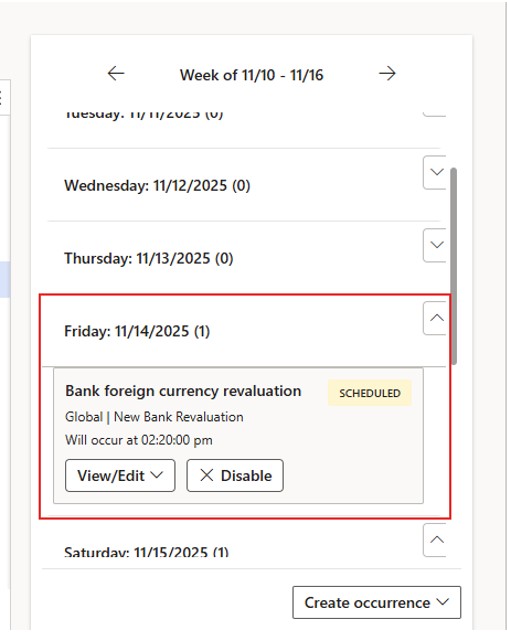
Module Cash and Bank Management
With the Microsoft 10.0.44 update it was introduced the automated process for bank currency revaluation. Previously, this process was performed manually.
Here are the steps for how this was done manually.
Previous Manual Scenario:
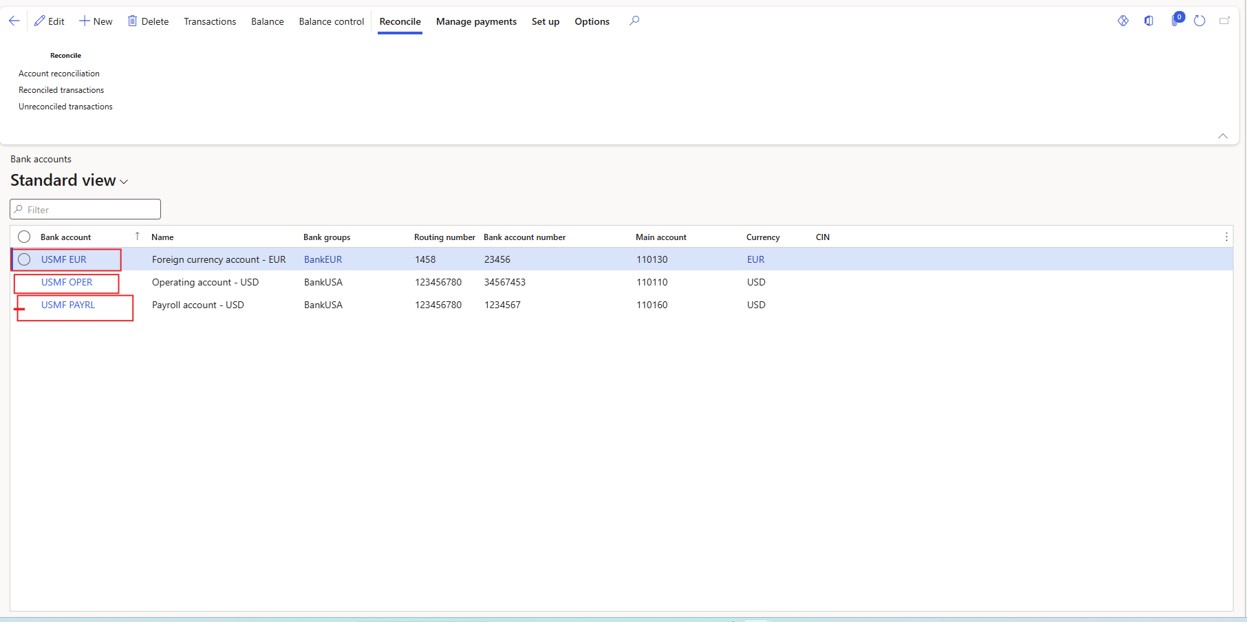
Path – Cash and Bank Management – Bank Accounts
- Select the bank account that is in a foreign currency
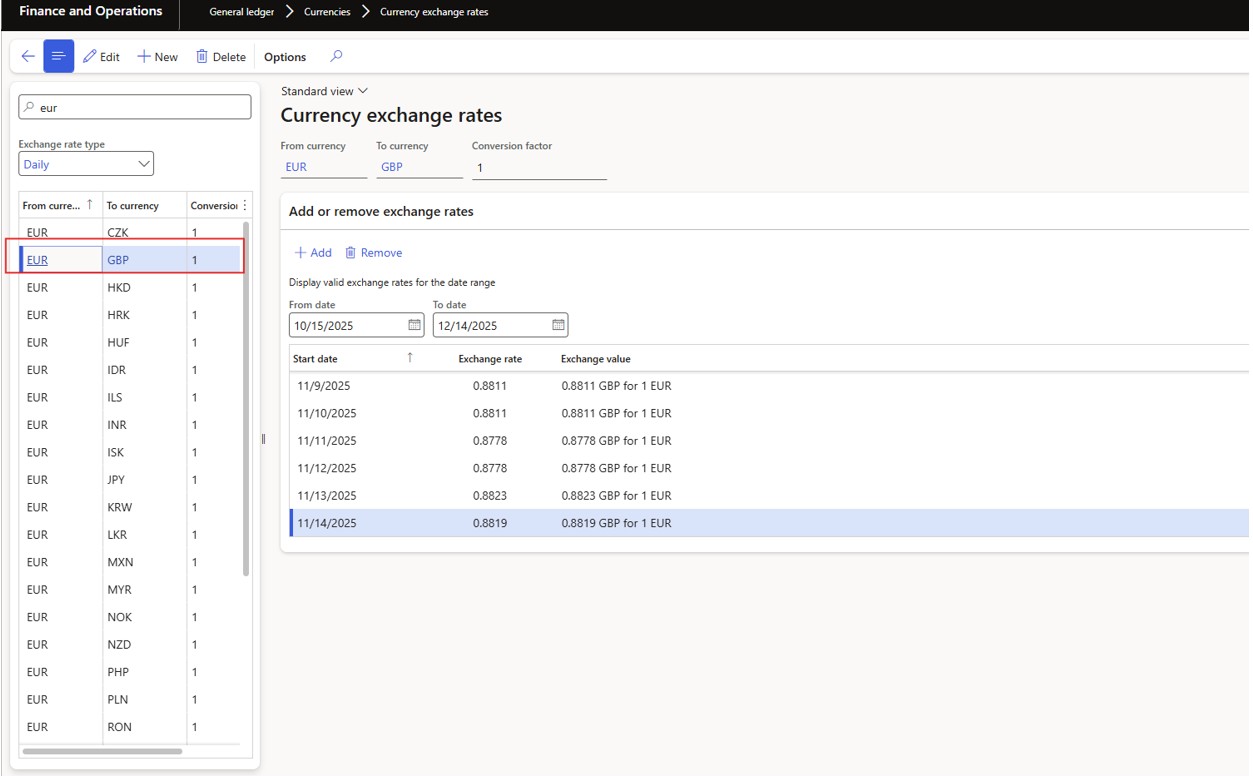
- Navigate to General Ledger > Currencies > Currency exchange rates.
Check the most recent exchange rate for the currency compared to your accounting currency
Example exchange rate from EUR to GBP
Under ‘Display exchange rates for the date range,’ you can select the start and end dates for the period you want to calculate the exchange rate.
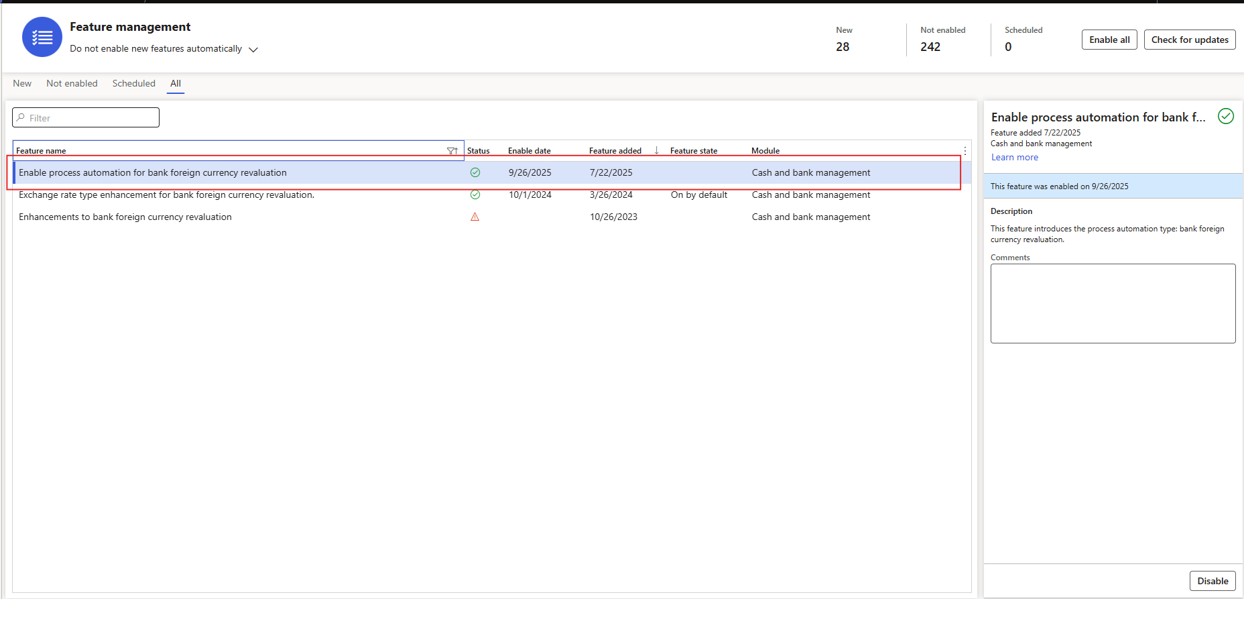
Automated process
- Enable the Feature in Feature Management
Path – System Administrator – Setup- Process Automations
- Create new process automation
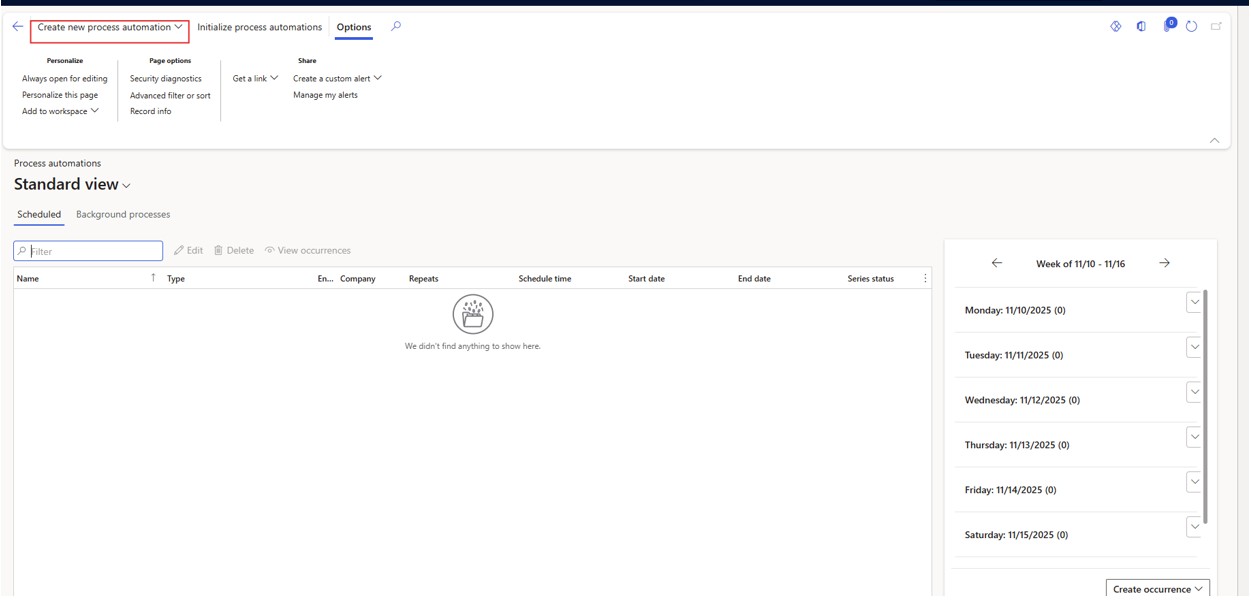
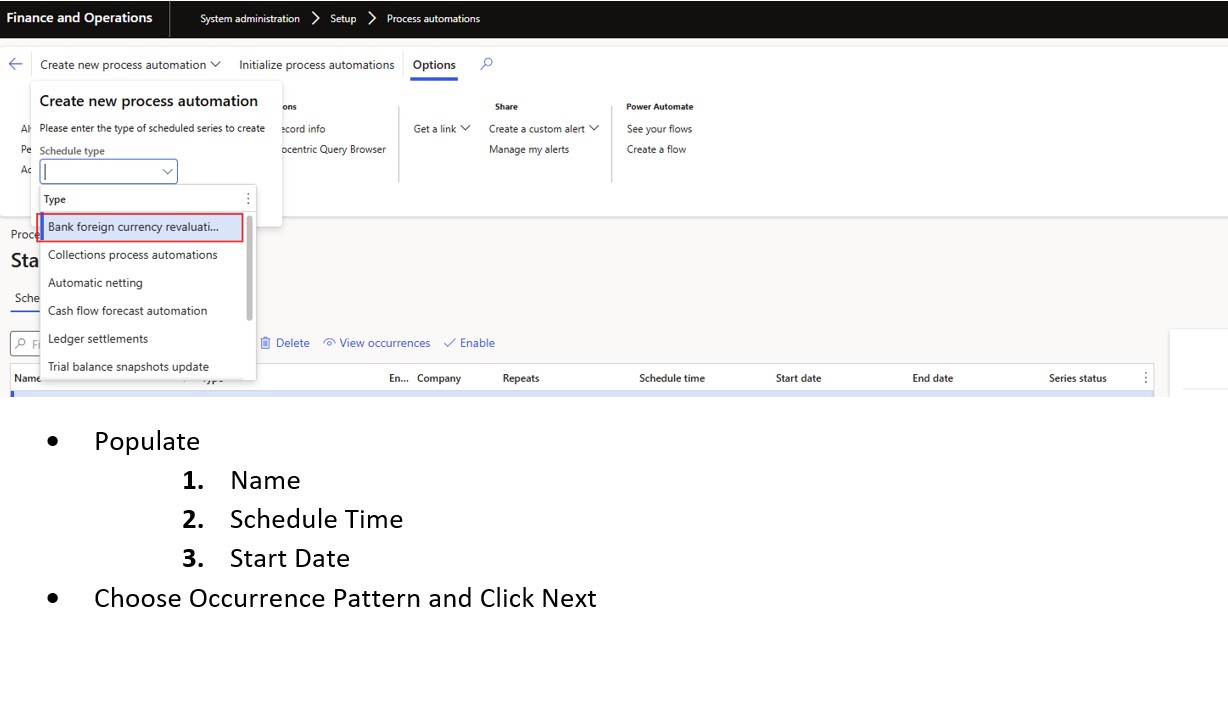
- Select Bank Foreign currency revaluation – Create Series
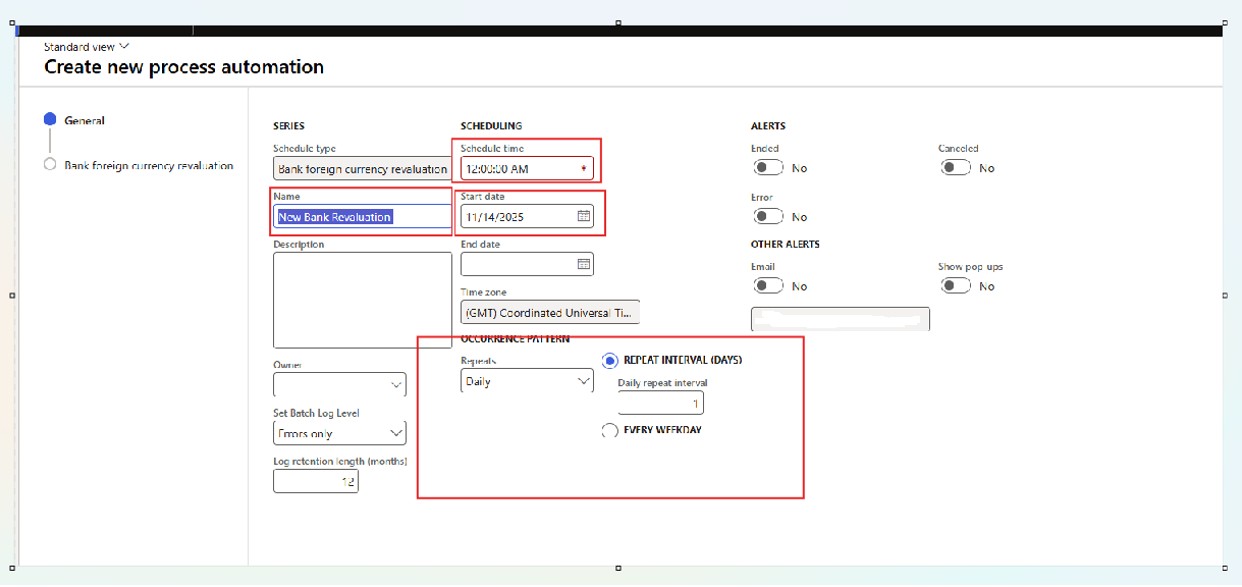
- Populate
- Name
- Schedule Time
- Start Date
Choose Occurrence Pattern and Click Next
- Choose the required exchange rate and then select Finish
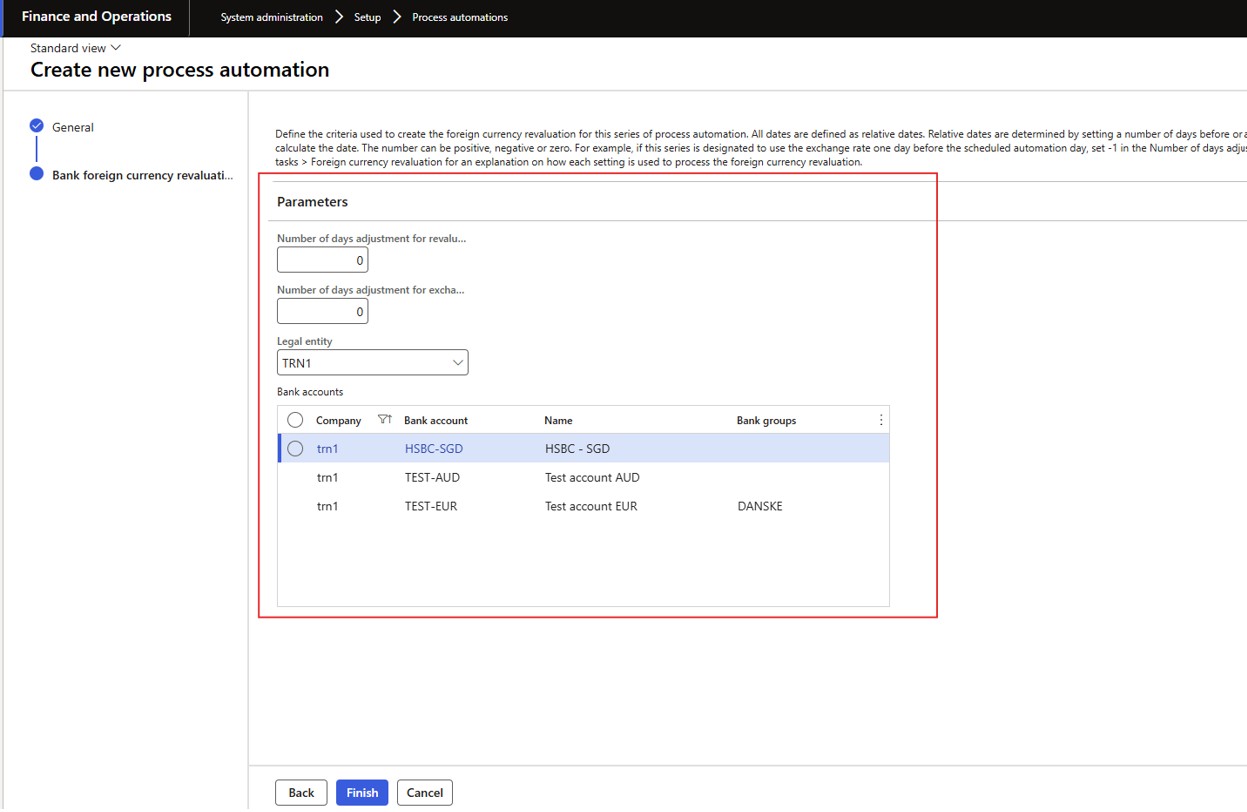
Under the week schedule will pop up the scheduled occurrence