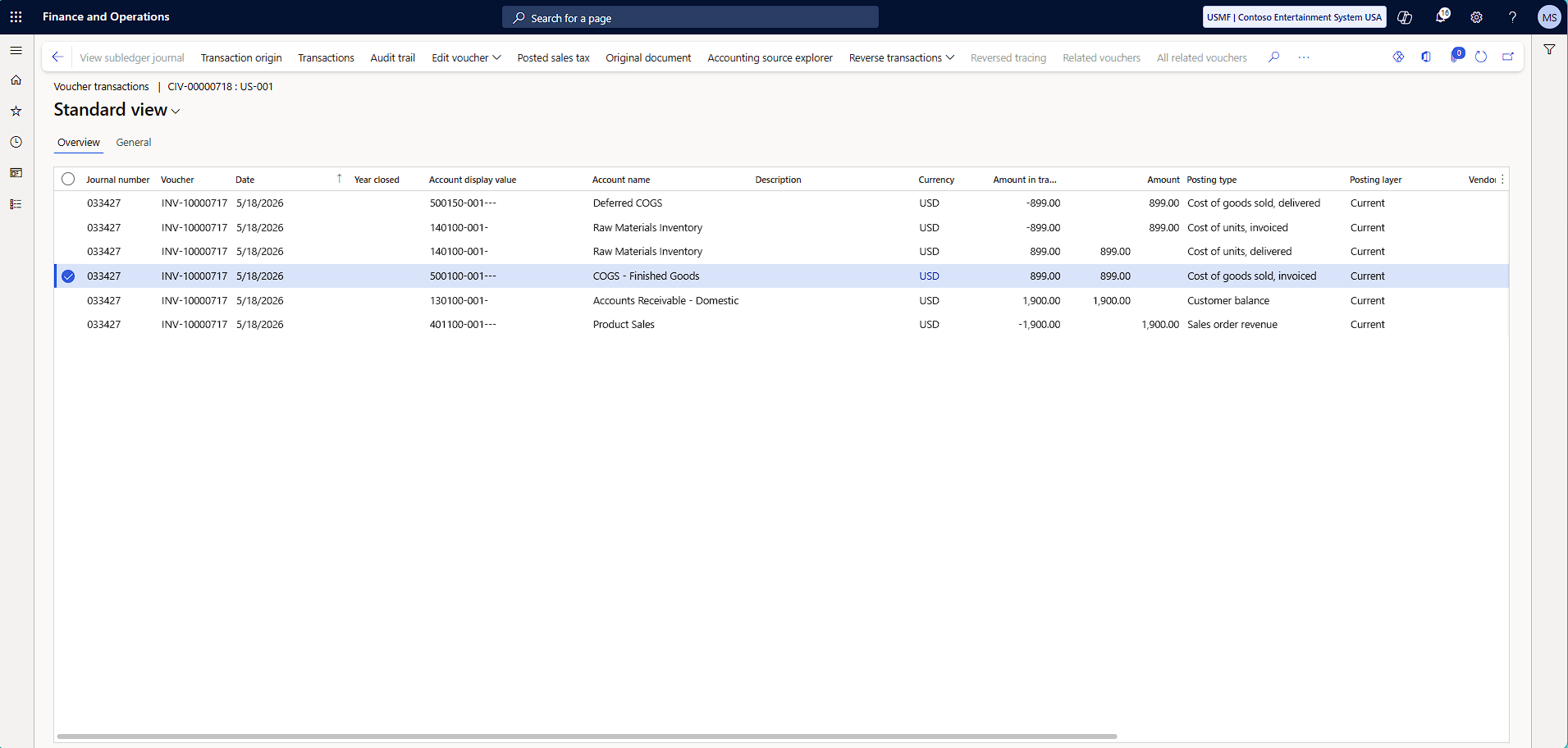
When marking is used, the system skips the chosen valuation method and links the inventory value of a Sales Order against a corresponding Purchase Order, preventing unintended changes in the inventory value.
This means that the linked purchase value will be used as the Cost of goods sold, instead of a calculated amount based on the inventory valuation method.
To use marking:
- Navigate to a Sales order
- On the Sales order lines fast tab, click Inventory > Marking
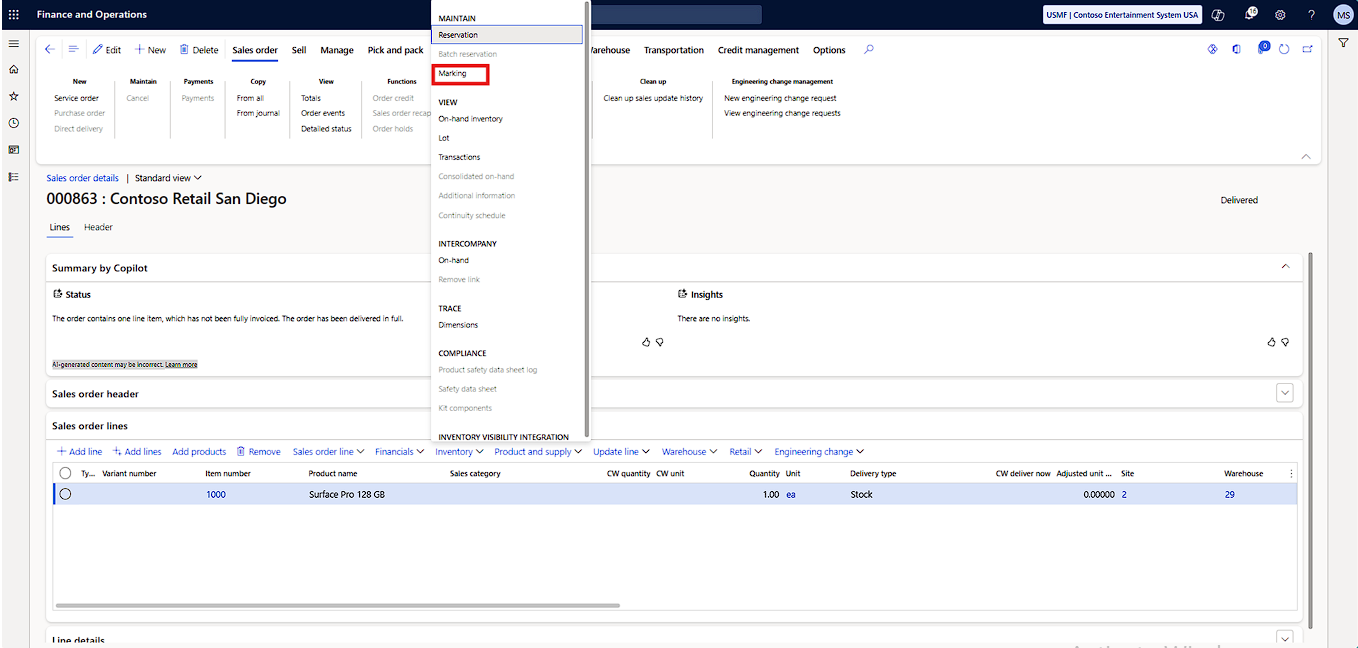
3.On the Marking page that opens:
- In the Marked transactions section, locate the appropriate PO and then put a check mark in the Set mark now column
- Click Apply to finish the marking process
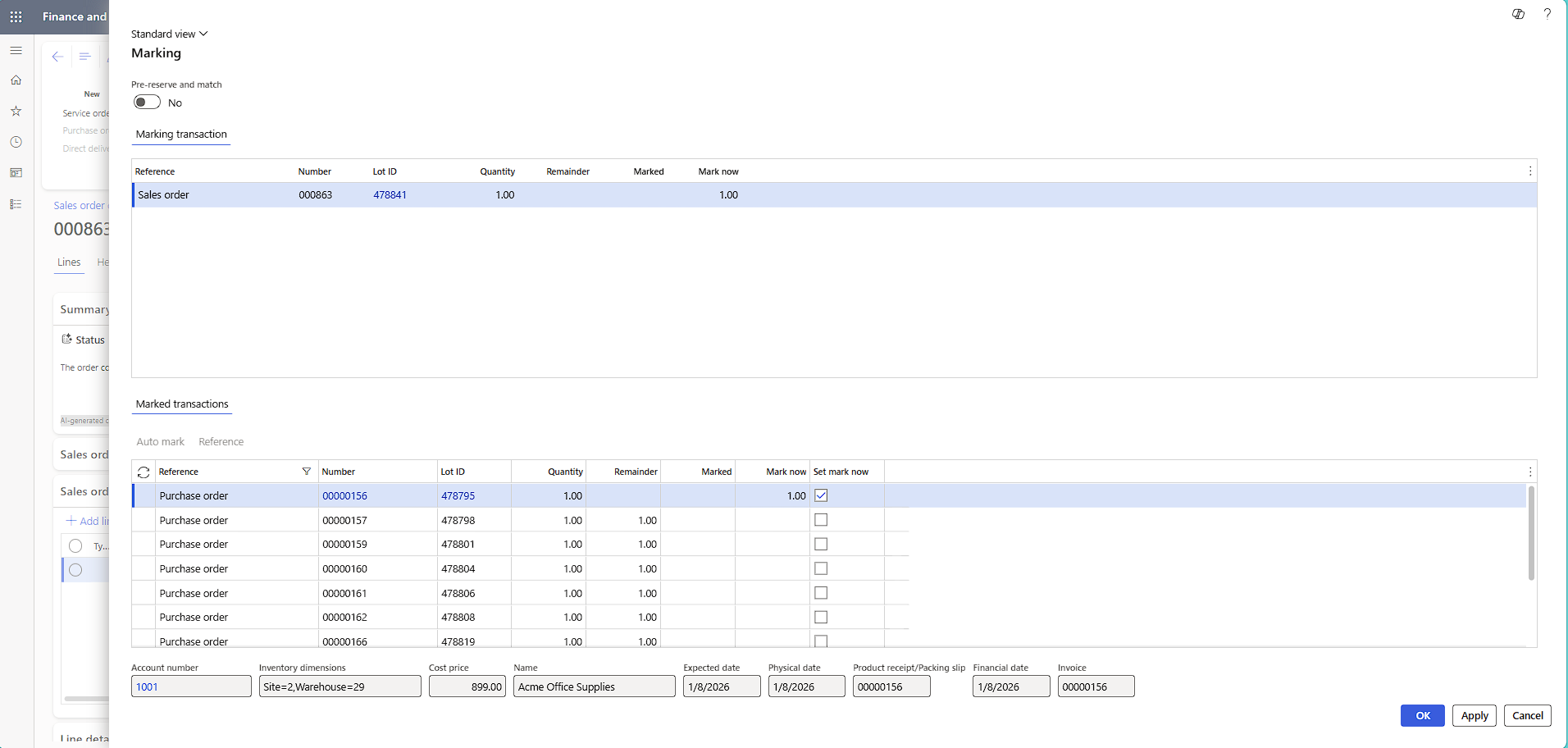
- Then click OK
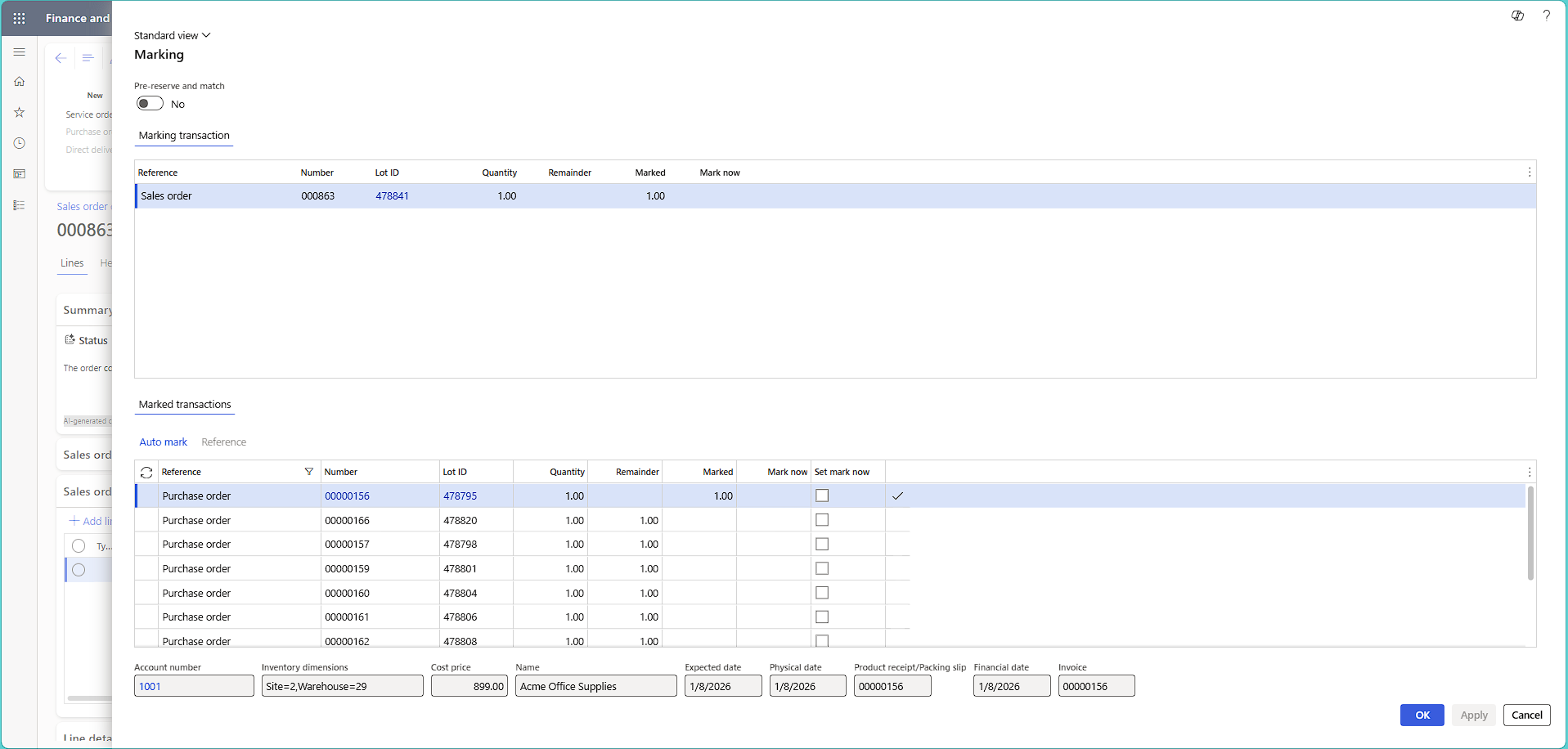
Note: If you want to remove the marking that is already been made, same procedure is applied.
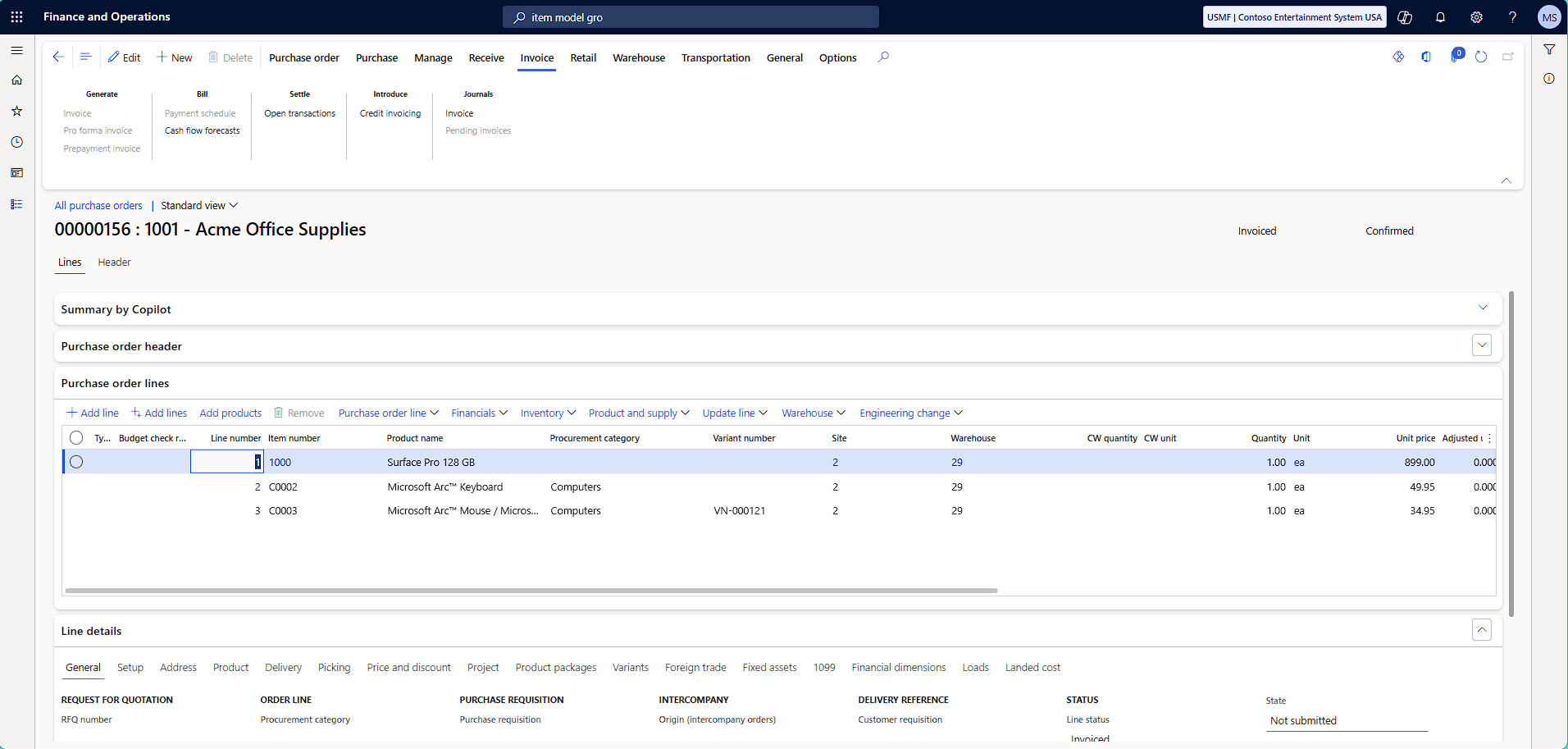
4.The cost price on the Purchase order is 899.00 USD:
5. The COGS account on the Sales order invoice voucher will also be 899.00 USD: