
The issue with the Placed in-service date
The process of migrating fixed assets usually involves four (4) steps in the following order:
- Migrate the Fixed assets master data
- Migrate the Fixed assets books
- Post the Acquisition journal
- Post the Depreciation journal (past accumulated depreciation)
For us to be able to post the accumulated depreciation up until the cut-off date, we need to make sure that the Placed in-service date is entered correctly. And this is where we faced a problem.
When the Acquisition journal is posted – by using a cut-off date – the Placed in-service date was changed to the date of the acquisition i.e. Acquisition date.
This is because D365 used the journal posting date as the acquisition and placed-in-service date for the asset. This then creates a problem when trying to post the Depreciation journal (past accumulated depreciation).
Here is a simple example:
Old system:
- Acquisition price: 24.000
- Acquisition date: 01/Jan/2025
- Placed in service: 01/Jan/2025
- Depreciation periods: 24
New system (D365):
- Acquisition price: 24.000
- Migration cut-off date: 01/Dec/2025
- Placed in service: 01/Jan/2025
- Depreciation periods: 24
- Depreciation periods remaining: 13
- Accumulated depreciation (11 periods): 11.000
When the acquisition journal is posted on the cut-off date (01/Dec/2025) the Placed in-service date – even though it was migrated as 01/Jan/2025 – will automatically change to 01/Dec/2025. Hence, when we post the journal for the accumulated depreciation, the start date will be 01/Dec/2025.
This means that in D365 the depreciation will start on the 01/Dec/2025 and it will run for 24 months and not only the remaining 13 months. WRONG!!!!!
Up until Microsoft has introduced “migrated asset “toggle, the standard way to overcome this problem was by creating a script (X++ Customization) that will prevent the change of the Placed in-service date when posting the acquisition journal.
This process is time-consuming and may require support from other resources.
Migrated asset toggle
On each fixed asset there is a toggle called Migrated asset.
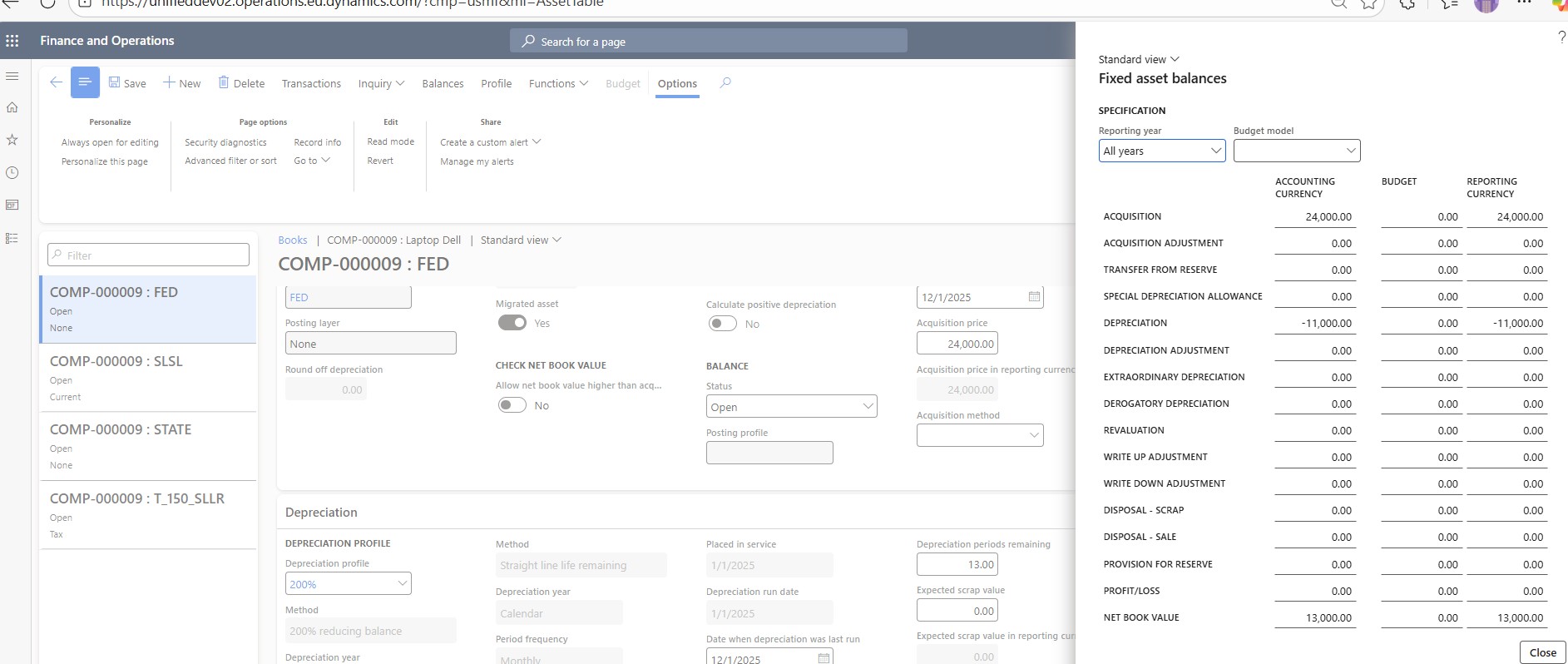
The purpose of this toggle is to prevent the changing of the Placed in-service date when the acquisition journal is posted. It needs to be set to Yes before posting the acquisition journal:

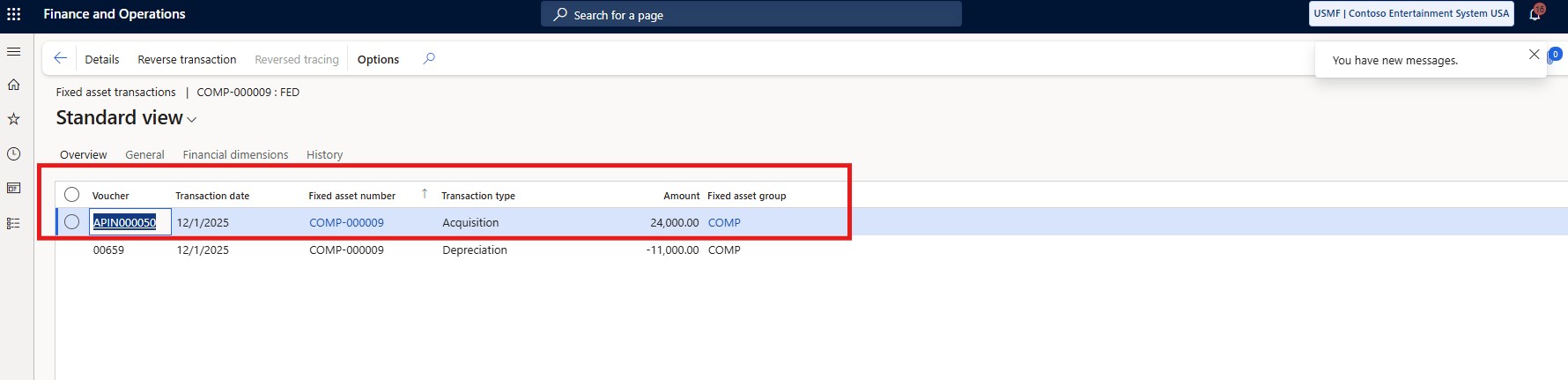
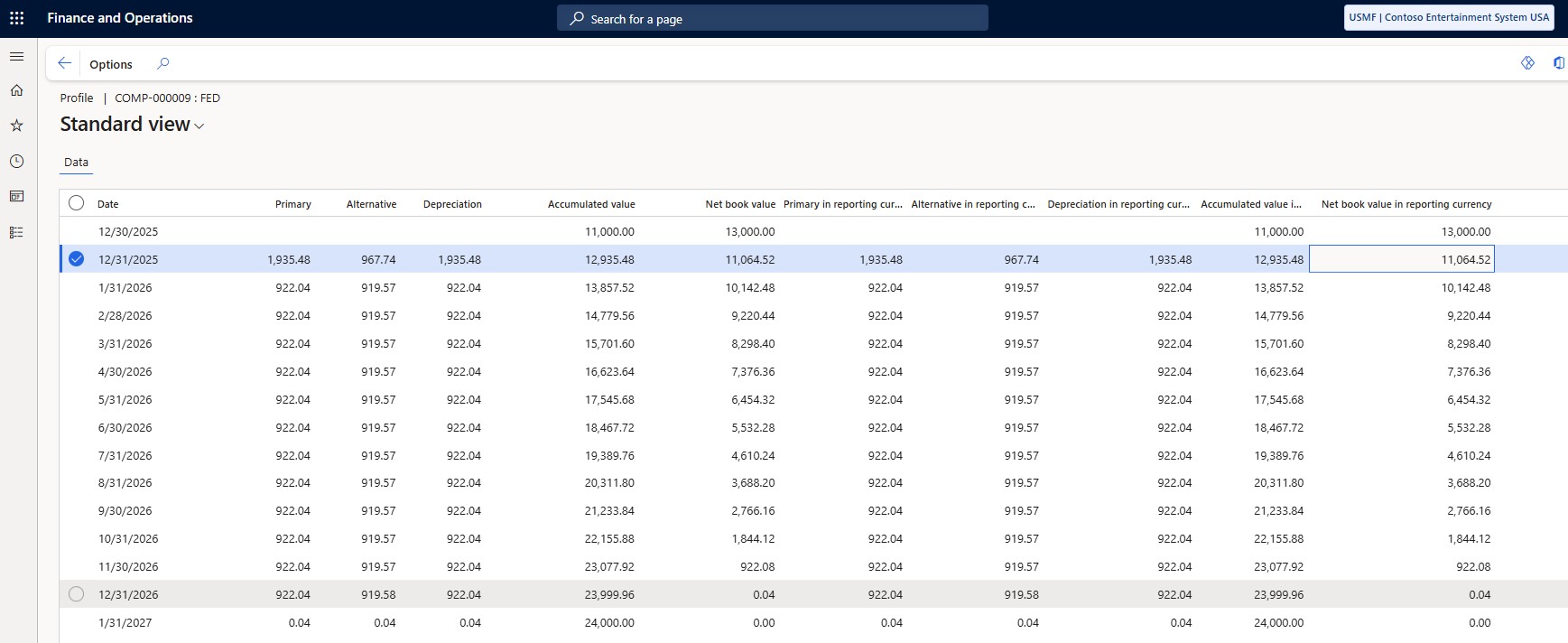
After this, we can proceed with posting the depreciation journal:
A Migrated asset column is also available in the Fixed asset book V2 entity. Hence, the books can be migrated with the toggle set to Yes. Meaning, it doesn’t have to be set to Yes manually fixed asset per fixed asset.